
.png)
Localize the Webflow admin panel into Japanese! How to use the Chrome extension developed by IGNITE and its benefits.

Localize the Webflow admin panel into Japanese! How to use the Chrome extension developed by IGNITE and its benefits.
Webflowis a no-code website builder supported by web production companies and designers worldwide, but its entirely English admin panel has been a significant barrier to adoption for Japanese companies. We at Booost have heard countless times, "I want to try it, but I'm not confident with English," or "I feel like I'll give up before I even learn how to use it."
To solve this problem, IGNITE Co., Ltd., a group company of Booost, developed the Chrome extension called "Webflow Japanese Localization." Simply install it, and all Webflow web app screens, including the dashboard and Designer, will switch to Japanese. This article provides a detailed explanation of this extension's overview, installation method, usage, and precautions.

Why Webflow's English UI is a Problem
Webflow is a highly functional tool, but with its extensive admin panel, understanding the terminology directly impacts operational smoothness. Terms like 'Navigator,' 'Style Selectors,' 'Site manager,' and 'Publish' might be obvious to engineers familiar with English, but they can be an initial hurdle for designers and non-technical business personnel. Even for team members accustomed to usingdesign tools, the English UI presents another barrier when encountering Webflow's unique terminology.
Especially in Japanese companies, this English UI barrier often arises when web managers try to internalize Webflow operations. While outsourcing to an external web production company might not be an issue, when they want toadd blog postsor update pages themselves, the English UI significantly increases training costs.AI translation and multilingual toolscan be used to translate screens on the fly, but for dynamic UIs like dashboards, translations tend to break easily and terminology can be inconsistent, making it an impractical solution in reality.
As a company supporting website creation and operation using Webflow, Booost has repeatedly heard from clients who struggle to master the tool due to the language barrier. In response to these voices, our group company IGNITE developed this extension, and Booost is responsible for supporting its practical application.
Overview of the "Webflow Japanese Localization" Extension
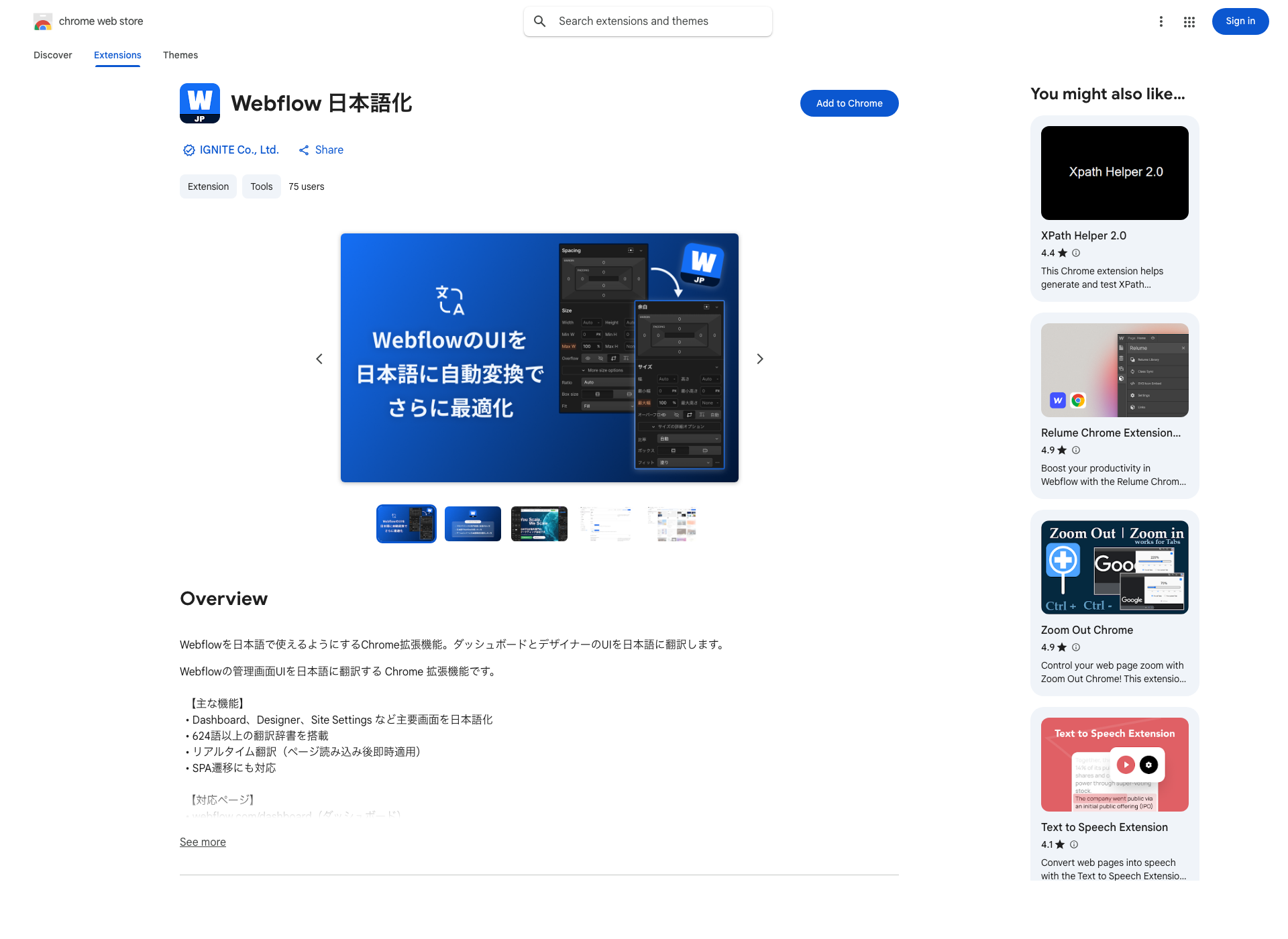
▶ View and install "Webflow Japanese Localization" on the Chrome Web Store
This extension translates over 624 English words displayed on Webflow's admin panel into Japanese in real-time. The translation is applied the moment a page loads, so users don't need to perform any special actions.
Furthermore, in single-page applications (SPAs) like Webflow, normal page reloads do not occur during screen transitions. This extension supports SPA transitions, ensuring that translations continue seamlessly as you navigate between pages.
Used for business efficiency,browser extensionsare numerous, but extensions that rewrite the UI of a specific SaaS into Japanese are still rare. For teams that use Webflow in their daily operations, this tool offers significant benefits.
Supported Admin Screens
The pages where this extension functions effectively are as follows:
- Dashboard: Project list and overall management screen
- Designer: Main editor screen for site design and coding
- Site Settings > General: Basic settings such as site name and domain
- Site Settings > Site Access: Password protection and membership settings
- Other Admin Screens (General)
Webflow, as a SaaS, is frequently updated, and this extension expands its coverage with each new version.
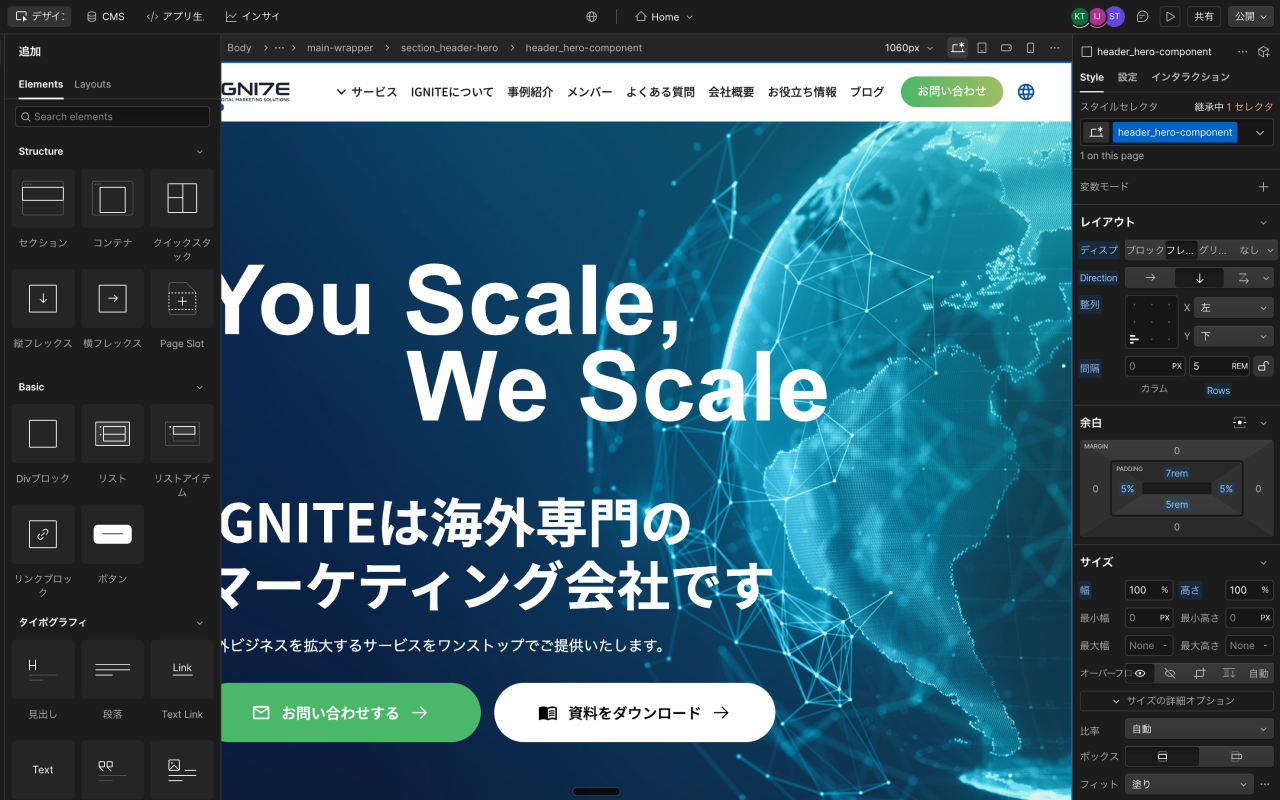
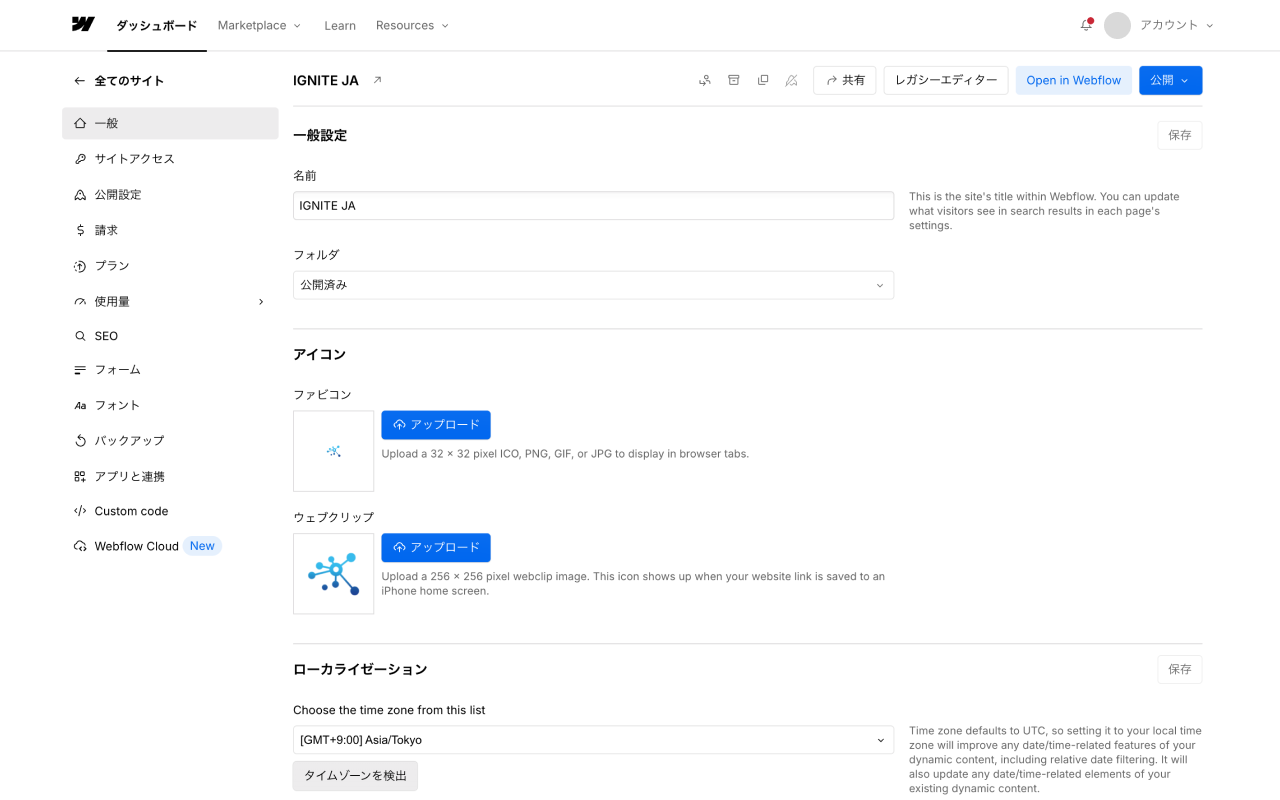
Translation Examples: Which Terms Are Translated into Japanese?
Here are some key examples of English text that are actually converted into Japanese.
English (Before Conversion)Japanese (After Conversion)DashboardダッシュボードNavigatorナビゲーターStyle SelectorsスタイルセレクタSite managerサイトマネージャーPublish公開
These are just a few examples. In reality, over 624 terms are covered, including dashboard menus, Designer panel names, and settings screen labels—a wide range of commonly seen items.
Simply having navigation and panel headings in Japanese makes it significantly easier for first-time Webflow users to understand "where everything is." In addition,link settings, CMS collections, and interactions—settings screens for frequently used features—can also be handled in Japanese, reducing confusion and configuration errors during operation, and significantly shortening the learning curve.

Installation Method
Installation is very simple and can be completed in just a few clicks, provided Chrome is already installed.
Step 1: Access the Chrome Web Store
Open the "Webflow Japanese Localization" extension page on the Chrome Web Store from the link below.
▶ Open "Webflow Japanese Localization" on the Chrome Web Store
Step 2: Click "Add to Chrome"
Click the "Add to Chrome" button in the top right corner of the page. When the confirmation dialog appears, select "Add extension."
Step 3: Access Webflow
After installation is complete, access the Webflow dashboard (webflow.com/dashboard). If the screen automatically switches to Japanese, the installation was successful.
No special settings or restarts are required. From the moment the extension is added, Japanese localization will be active on all supported Webflow pages.
Notes: Untranslated Sections
This extension is designed to localize Webflow's admin panel (web app) and has no effect whatsoever on published websites (*.webflow.io, or sites published with custom domains). This means you can rest assured that enabling the extension will not change the front-end pages seen by site visitors.
Additionally, some technical proper nouns are intentionally kept in English. For example, HTML/CSS and Webflow-specific technical terms like 'CMS,' 'Body,' 'Div Block,' and 'Section' are left untranslated because translating them could cause confusion. This design choice is a reasonable decision to maintain consistency with Webflow's official documentation and learning resources.
Booost's Perspective on the Significance of Webflow Japanese Localization
Booost provides website creation and operation services using Webflow. In our interactions with many clients, we've realized how often tasks that could be internalized are continuously outsourced simply because clients "lack the confidence to master the tool."
Webflow is a tool with many important points to consider, such as itspricing plansandpre-publish checklist, but learning efficiency changes significantly just by having the UI in one's native language. Even for companies that have chosen Webflow aftercomparing CMS platformsincluding WordPress and Shopify, the English UI often becomes a hidden factor that slows down the learning curve after adoption.
Content updates and page additions can be handled by the person in charge, even without specialized knowledge, as long as they understandWebflow's Editor mode. When multiple team members operate the site, combining this withsite roles and permissionsmakes it easier to clearly control editing scope and create a system where tasks can be confidently delegated. However, if the English admin panel is a barrier, it's a waste of potential. This extension was developed as a step to remove that barrier.
Mastering Webflow operations directly leads to faster site management, reduced external costs, and enhanced web capabilities for your team. We hope this extension serves as the first step in that journey.
Frequently Asked Questions
Q. Is it free to use?
Yes, you can install it for free from the Chrome Web Store.
Q. Is it compatible with Safari or other browsers?
Currently, it only supports Google Chrome.
Q. Some screens are not translated.
Webflow is frequently updated, so some new pages or features may not yet be translated. We plan to support new versions sequentially.
Q. Are there any security concerns if I install it on a company PC?
This extension only rewrites the text on Webflow's admin panel; it does not send any entered data externally or access authentication information. It is provided through the Chrome Web Store and has undergone Google's review process.
Introduction to the Explanatory Video
The content of this article is also available in a YouTube video, so please check it out if you're interested.
▼ Watch the video here
About Booost's Webflow Support Services
Booost provides end-to-end support for Webflow, from creation to operation. We offer comprehensive assistance for corporate web operations, including training for those concerned about the English admin panel, content update services, and website redesigns.
Please feel free to contact Booost for consultations such as "I want to use Webflow, but we lack internal expertise," "I want to migrate our current site to Webflow," or "I want to establish a system for in-house operations." If you are in the process of comparing Webflow with other tools, please also refer to ourcomparison article on Webflow Studio and other platforms.
Install the Chrome Extension "Webflow Japanese Localization" for Free
Simply having it installed will switch the Webflow UI to Japanese every time you open it. This also streamlines sharing and handovers to team members.
▶ Get it on the Chrome Web Store
For Webflow creation and operation consultations, click here →
This extension is developed and provided by IGNITE Co., Ltd. Booost is responsible for its operation and support.
Booost is a web development service specializing in the no-code tool "Webflow."
We maximize your website's customer acquisition power through three optimizations: design, marketing, and translation.

