

Advantages and Disadvantages to Know When Using Webflow

Webflow is a no-code tool that allows you to build websites without programming knowledge. While many people currently use WordPress and Webflow might not be widely known yet, it's expected to be used by many in the future. This time, we'll introduce the advantages and disadvantages of Webflow.
If you're considering website creation or are unsure about building a site with Webflow, please take a look.
What is Webflow?
Webflow is a design tool that allows you to build professional websites without programming knowledge. It offers a drag-and-drop interface and a visual editor, with automatic conversion to HTML, CSS, and JavaScript. It also integrates hosting and CMS functionalities, enabling a consistent process from design to publication.
Advantages of using Webflow
Let's discuss the advantages of using Webflow when creating a website.
Website creation possible with no-code
Even without programming knowledge, you can easily build a website with intuitive operations, lowering technical barriers. This allows designers and beginners alike to create websites with ease.
Easy collaborative editing
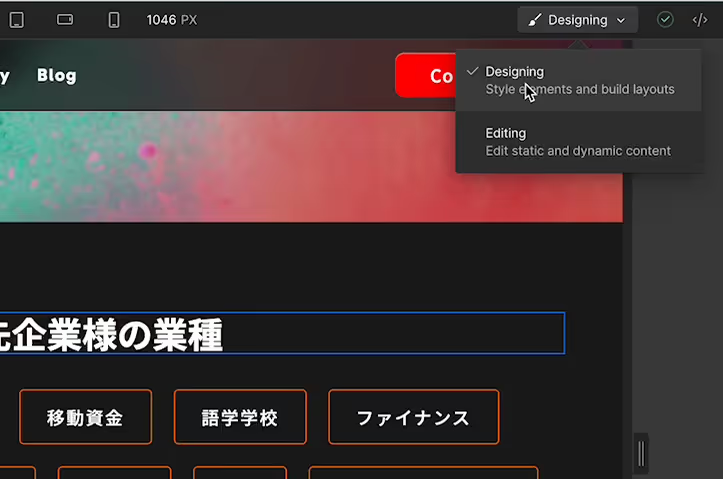
Webflow offers two editing types: Designing and Editing. Designing is used for setting up website structure, while Editing is for modifying text, images, and CMS content. Please note that the latter requires a paid Workspace plan.
This facilitates collaborative editing among multiple people, allowing for smoother team-based website development.
No environment setup required
As Webflow is a fully managed tool, you can start website creation immediately without needing to contract a rental server or perform complex configurations. Publishing is also a one-click process, ensuring smooth operation.
Detailed site building possible

Webflow is equipped with a variety of features like sliders and lightboxes, allowing for detailed design adjustments such as spacing, margins, text size, and colors.
For example, by setting unique class names, you can easily apply the same design to multiple elements. Unlike other no-code tools, Webflow allows for very granular design adjustments.
Disadvantages of using Webflow
Next, let's discuss the disadvantages of using Webflow.
No Japanese language support
Webflow currently does not support Japanese; all editing tools and resources are provided in English. This can pose a significant language barrier for operation and troubleshooting. The Webflow forum, a Q&A board, and official tutorials are also all in English, which may take time to understand. If Japanese support is needed, translation tools must be used.
Limitations on complex customization
Complex customizations can sometimes be difficult with Webflow alone. For instance, features like a scroll-linked table of contents require external tools or scripts. While Webflow allows for detailed design settings, it has limitations in terms of functionality. Since these tools are also provided in English, understanding how to use them may take time.
Paid plan required for advanced features
While basic site operation is possible with the free plan, advanced features and custom domain setup require a paid plan.Webflow's paid plansincur monthly fees, so budgeting is necessary.
Must get used to the unique interface
Webflow has a unique interface, and it can take time to learn how to use it. Furthermore, understanding CSS terminology (such as margin, padding, display, block, flex, etc.) is necessary, which might be a high hurdle for complete beginners.
How to get started with Webflow
Now that you understand the advantages and disadvantages of Webflow, let's try using it. Here's how to get started with Webflow.
1. Create an account
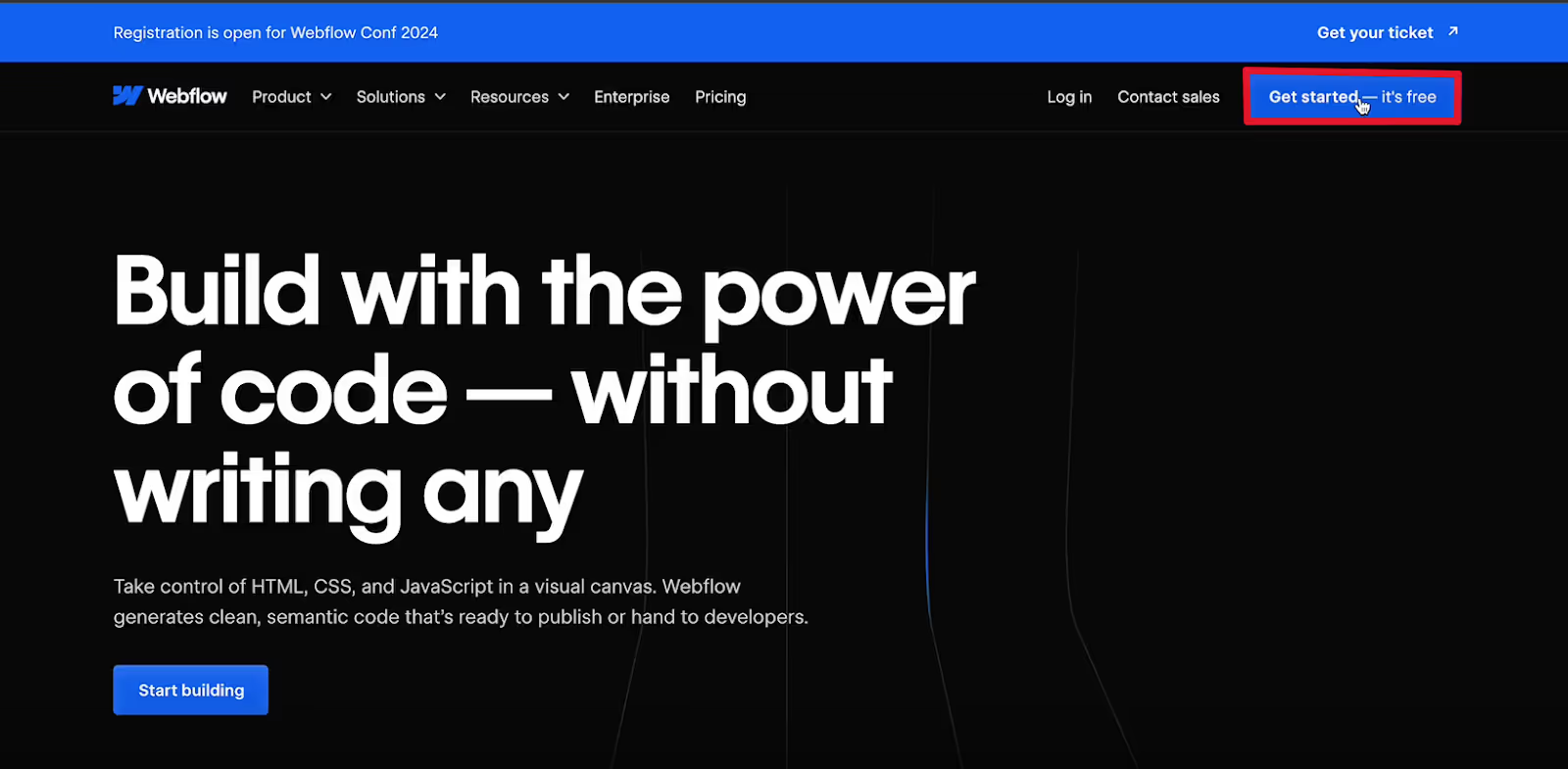
First, visit the official Webflow website and click the "Get started" or "Sign up" button in the top right corner.
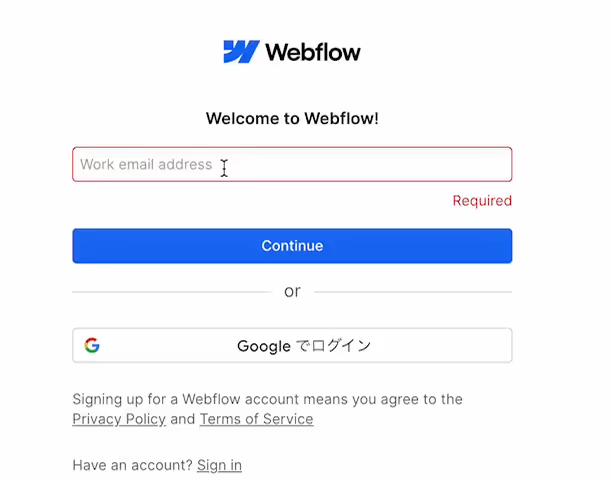
Next, enter your email address. You can also log in using your Google account.
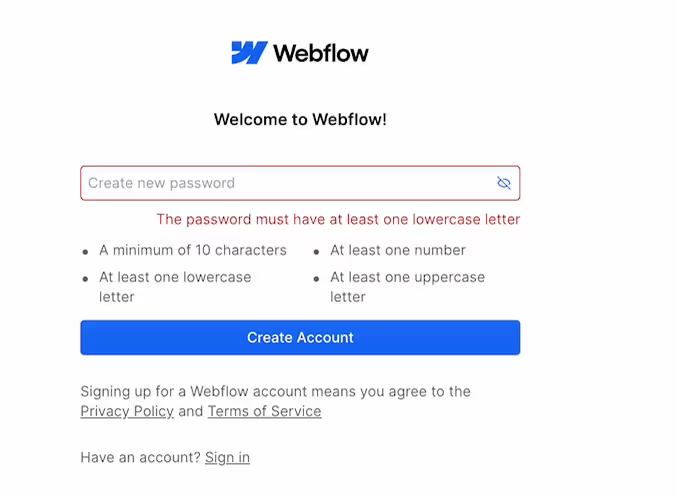
After entering your email address, you'll need to set a password. Once set, you'll be taken to the Webflow editor screen.
2. Create a new project
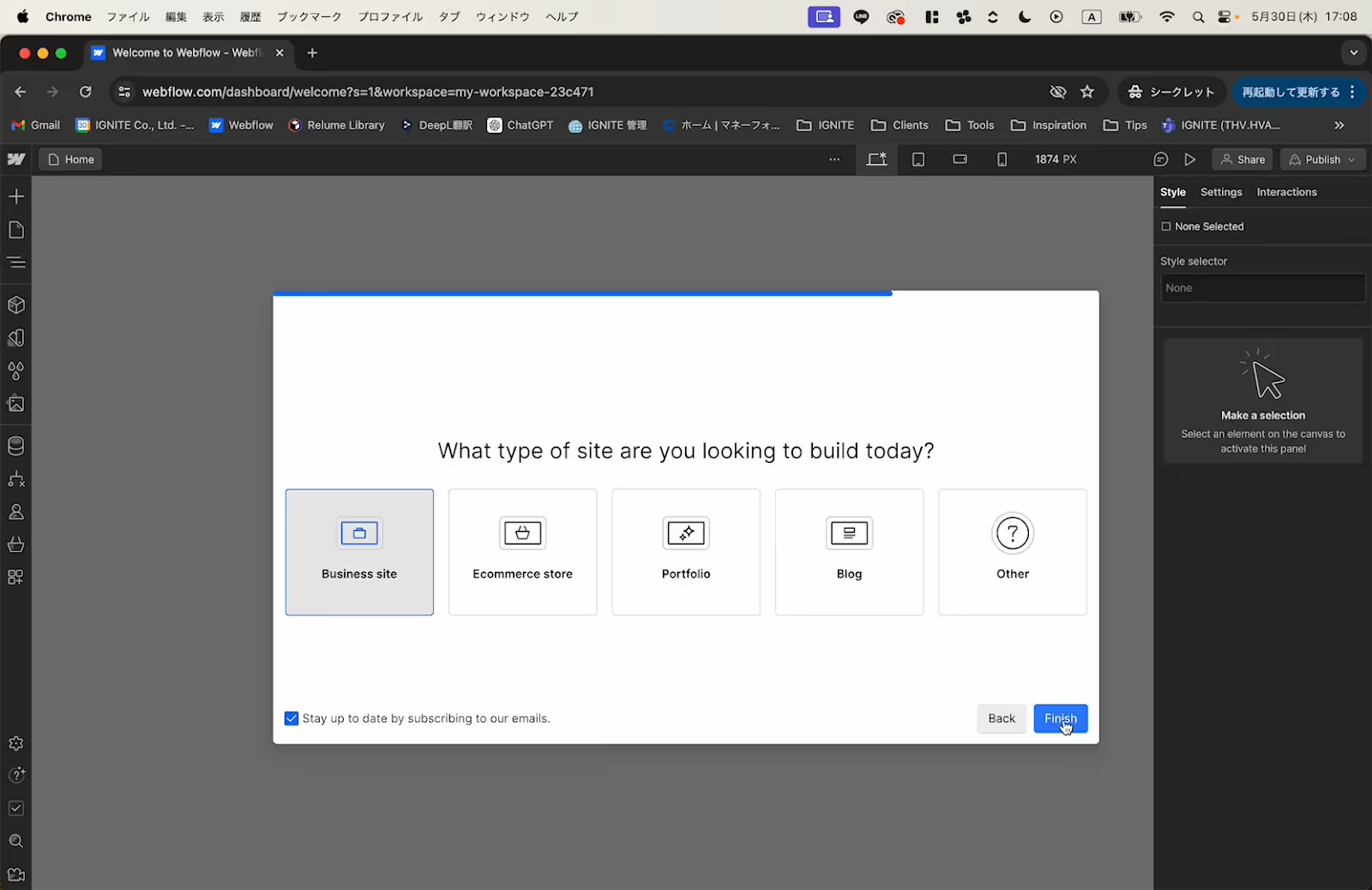
Upon entering the editor screen, you'll first need to answer questions about your name and purpose of use. After answering, create a new project.
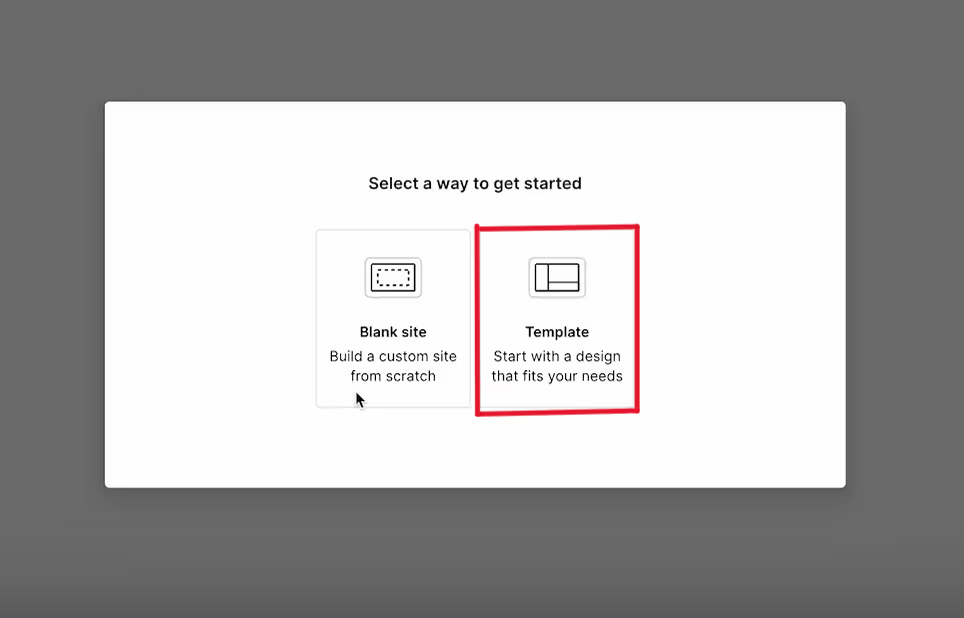
On the project creation screen, you can choose to start with a blank site or build your site using a template.
Here, we'll explain how to use a template.
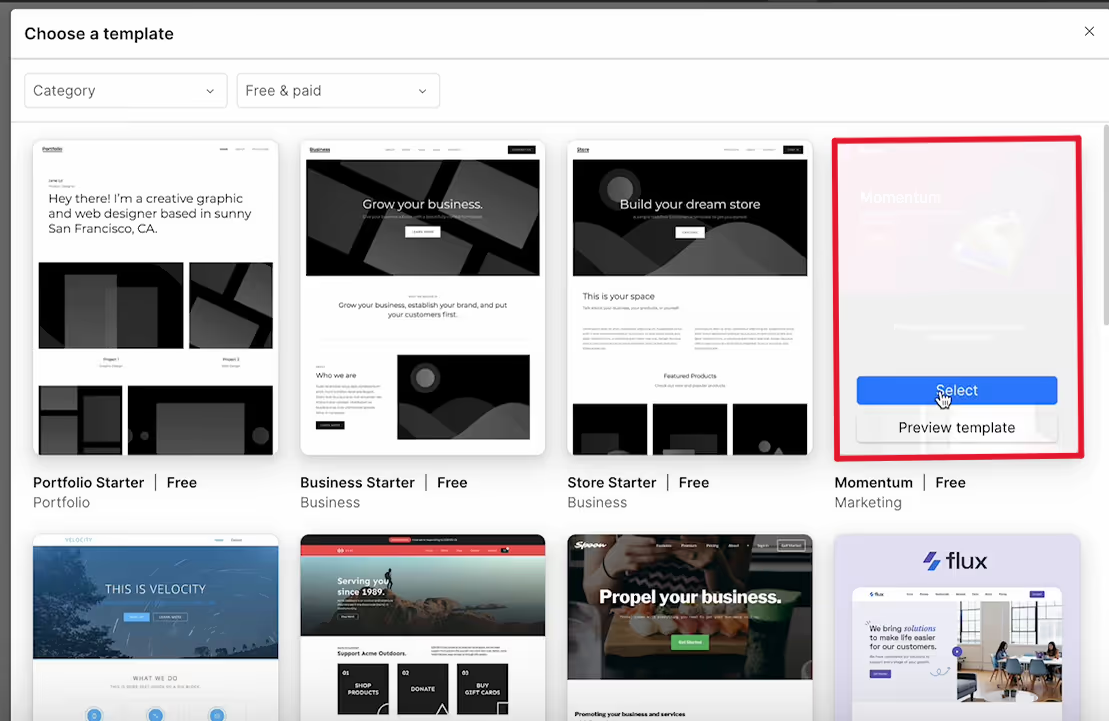
Select a template marked "Free" and click the blue "Select" button.
3. Design and customize
Once you select a template and create a project, that template will be directly applied to your website.
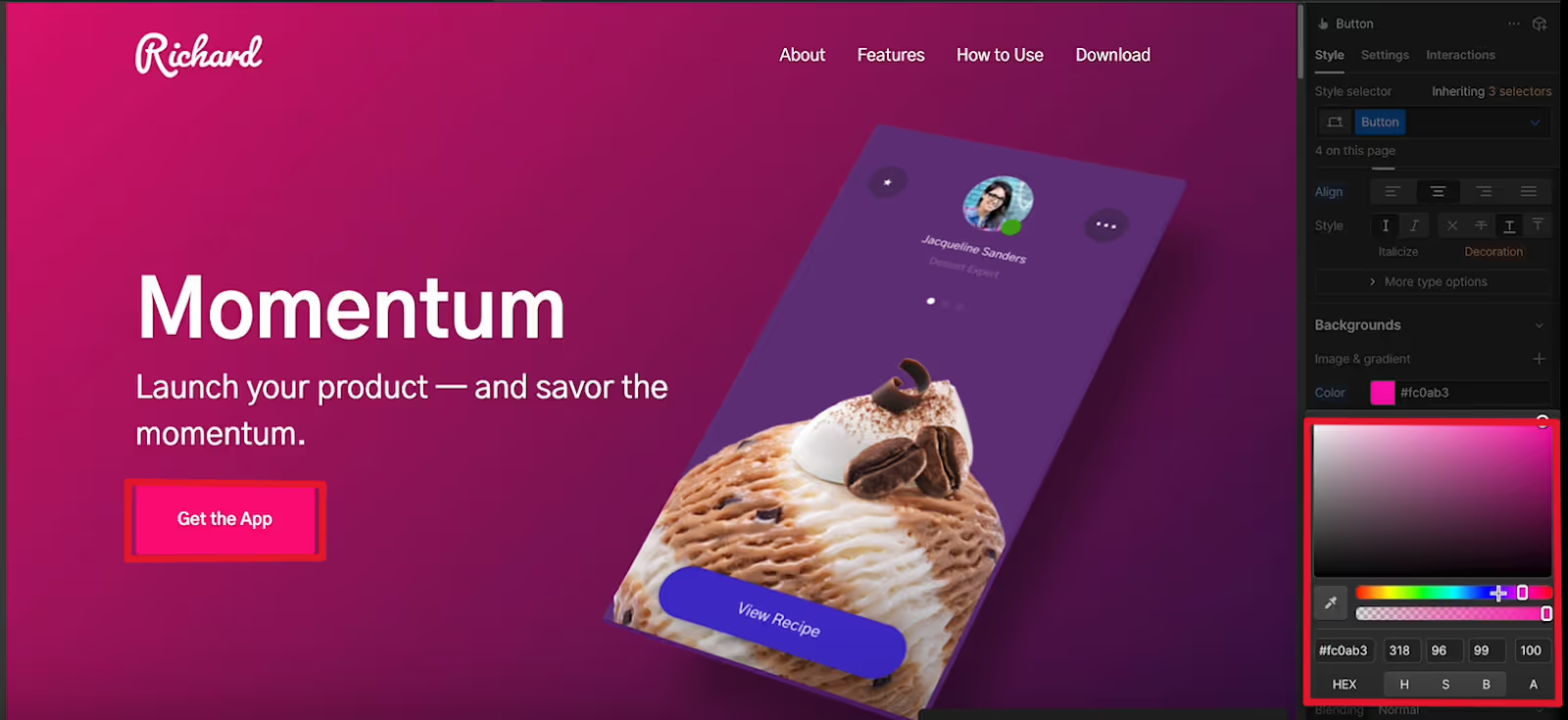
You can change colors and customize from the right panel. Use the visual editor to add, edit, and style elements, such as changing button colors, modifying text, or adjusting font sizes.
For example, you can change button colors using a color picker or upload and replace images.
4. Page layout and styling
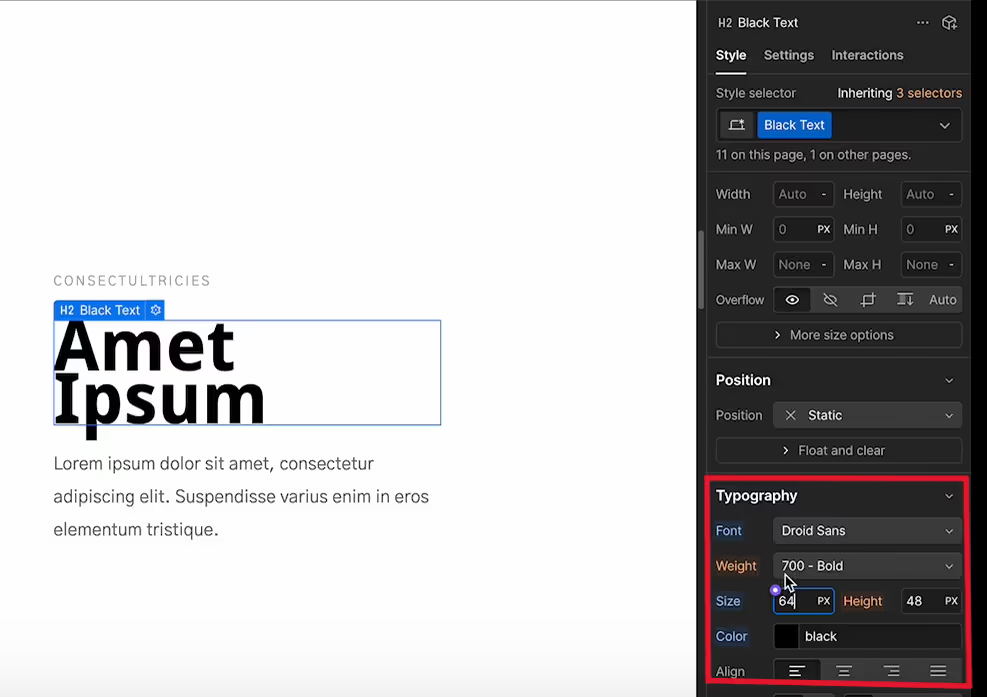
Use the style panel to adjust fonts, colors, spacing, and more.
This allows you to refine the site's appearance. Create multiple pages and set up a navigation menu to organize the overall site structure.
5. Publish and manage your site
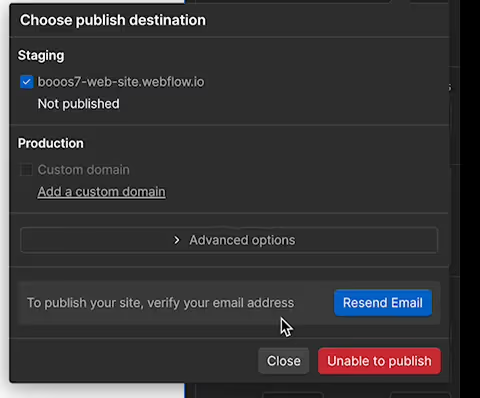
Once your design is complete, click the "Publish" icon in the top right to publish your site.
To publish, you must first verify your identity via the confirmation email sent to the address you used during account registration.
With a paid plan,you can set up a custom domain.After publishing, you can manage analytics, SEO settings, and more from the dashboard.
Summary
Consider adopting Webflow after understanding its advantages and disadvantages.
As such, while Webflow allows for the creation of professional websites with intuitive operations, it also has several disadvantages, such as language barriers and limitations on complex customizations.
Since there are not only advantages, please understand the disadvantages as well, consider your company's direction, and then decide whether to use Webflow. If you are considering using Webflow but are concerned about the language barrier, it's a good idea to consult with a specialized agency.
Booost is a web development service specializing in the no-code tool "Webflow."
We maximize your website's customer acquisition power through three optimizations: design, marketing, and translation.

