

How to improve site display speed with Webflow's per-page CSS feature

Have you ever felt that the Lighthouse score of a site built with Webflow didn't go up as expected, or that the page load was heavy? Not only is a site's display speed directly linked to user experience, but it also affects search engine ratings. Webflow introduced “CSS per page” as a new feature to tackle this challenge. By simply activating the setting, you can improve page performance by eliminating unnecessary CSS loading. In this article, I will explain in detail how the function works, effects, setting methods, and precautions.

[Image] Draft image: Screenshot Screenshot showing the “CSS per page” option on Webflow's detailed publishing settings screen
Why CSS affects site speed
In traditional websites, the common approach is to load a CSS file that defines the overall design of the site on every page. There is an advantage of being able to eliminate the trouble of management, but even CSS that is not actually used on that page will be read. As the number of pages increases and the design becomes more complex, the CSS file becomes bloated, and unnecessary data volumes accumulate, leading to a decrease in loading speed.
Especially on large Webflow sites, this bloated CSS file tends to be noticeable. Even when the style used for each page was very different, such as a landing page, blog article page, product list page, etc., a huge amount of CSS for the entire site was read every time, so performance loss occurred. To understand the current performance of the site,How to measure Webflow performance using LighthouseIf you check how to look at the indicators, it will be easier to measure improvement effects.
CSS mechanisms and effects for each page
When the “CSS for each page” function is enabled, it switches to a mechanism in which only the CSS necessary to display each page is individually generated and read. Since styles not used on that page are not included, the size of the CSS file being read is drastically reduced.
Initial tests of Webflow have shown that per-page CSS reduces file size by 30-40%. This directly translates into faster page load times, improving the user experience, especially in mobile environments and slow communication speeds. In fact, in the “JavaScript per page” function previously released by Webflow, the Lighthouse score of customers who used it improved by an average of 12% or more, and cases where the score was originally low improved by 50% or more have also been confirmed. This “CSS per page” is a further step forward in this effort.
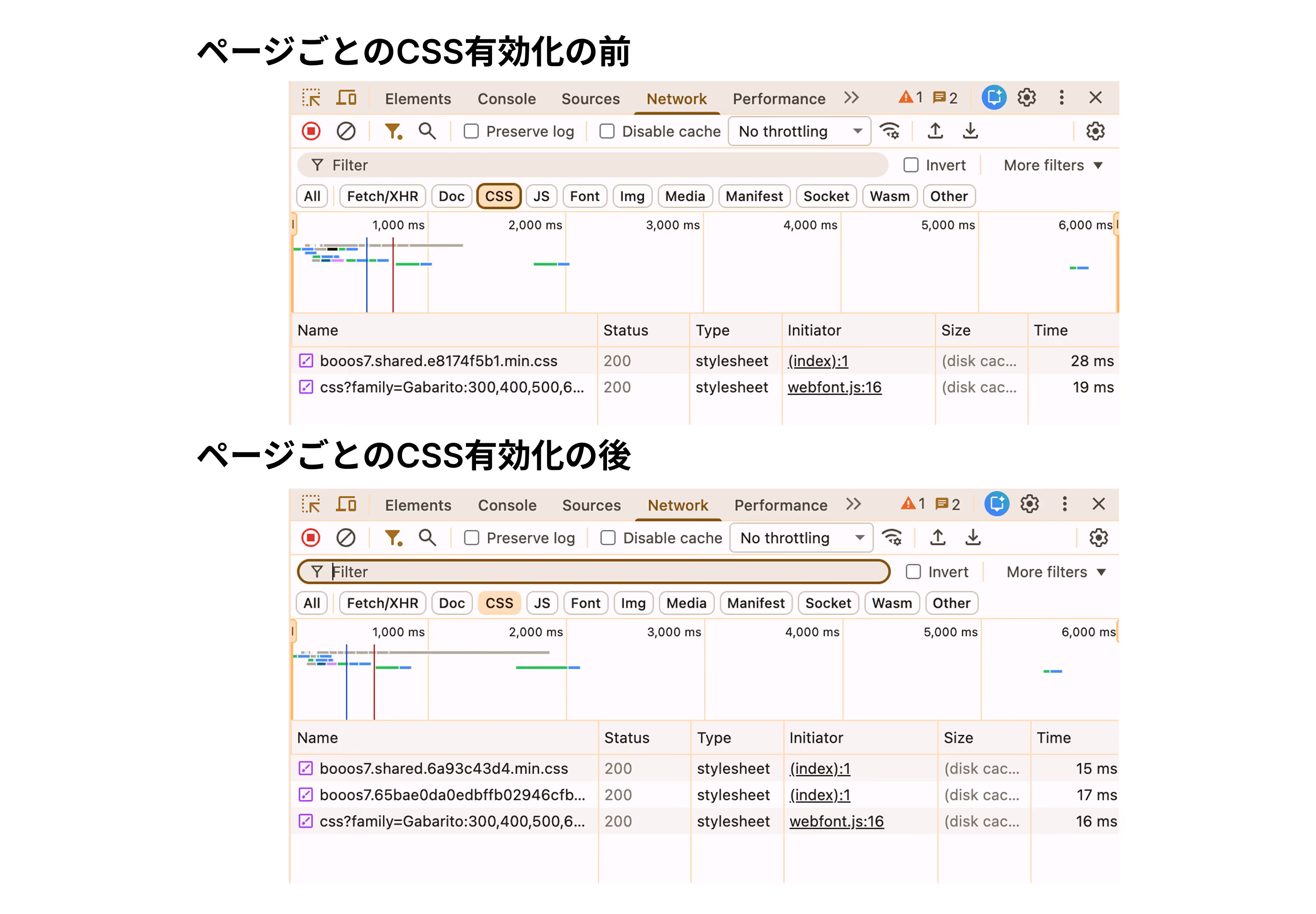
[Image] Draft image: Screenshot screenshot comparing the CSS file sizes displayed in Chrome devtools before and after activating CSS for each page
How to set up and target plans
The per-page CSS feature is currently being rolled out sequentially on a percentage basis to all Webflow accounts, and is expected to be available to all accounts within the next few weeks. You can use it on any site plan, but it's disabled by default.
To activate it, open the publish settings from Webflow Designer and access “Advanced Publishing Options”. Only workspace owners/admins or site owners/admins can change this setting. After making changes, republish the site to reflect the functionality.
Things to keep in mind when using custom code
One thing to keep in mind when activating this feature. On sites that use custom code or embedded HTML that rely on user-defined CSS classes, there are cases where styles are not applied correctly when CSS for each page is enabled. Note, if you want to use CSS custom properties in WebFlow,How to use CSS function variablesIt is also helpful. On sites that use custom code a lot, we recommend that you carefully check the display of each page after activation, verify that there are no problems, and then apply it to the production environment.
[Image] Draft image: screenshot Screenshot of the operation screen with the CSS toggle turned on for each page in Webflow's Advanced Publishing Options
What kind of sites are most effective
CSS for each page can be expected to be particularly effective on the following sites. First, it's a large site with a large number of pages, each with a different design and structure. As the number of pages increases, CSS bloat tends to progress, so the effect of eliminating unnecessary styles becomes greater. Next, it's a site that has pages where the display speed is directly linked to the conversion rate, such as a landing page. Even a 0.1 second reading improvement will affect the user churn rate, so the file size reduction due to this feature cannot be ignored. Also, on sites that have already enabled “JavaScript per page,” greater performance improvements can be expected by combining both functions.
summary
Webflow's “CSS per page” feature is an effective update to improve site display speed by eliminating unnecessary CSS loading. Initial test results of a 30-40% reduction in file size indicate that a substantial contribution can be expected to reduce page load times and improve Lighthouse scores. The setup is as simple as enabling the toggle from the advanced publish settings. While checking compatibility with custom code beforehand, be sure to take advantage of this feature to improve the performance of your Webflow site by one level. If you want to improve your overall ratings from search engines,Page level SEO controlsWe recommend using it together.
Booost is a web development service specializing in the no-code tool "Webflow."
We maximize your website's customer acquisition power through three optimizations: design, marketing, and translation.

