
[Latest Update] A clear explanation of Webflow's "Recently Modified Classes".

When building websites with Webflow, have you ever had this experience?
"I want to use the same style as that button I made before, but I forgot the class name..."
"It's a bit tedious to type in that margin class I just set again..."
Searching for previously set classes or trying to remember and re-enter class names can be surprisingly time-consuming and often interrupts your workflow.
Webflow's latest update introduces the "Recently Modified Classes" feature, which solves these problems.
In this article, we'll clearly explain everything from an overview of this new feature to how to use it and its benefits, all from a Webflow user's perspective.
What are "Recently Modified Classes"?
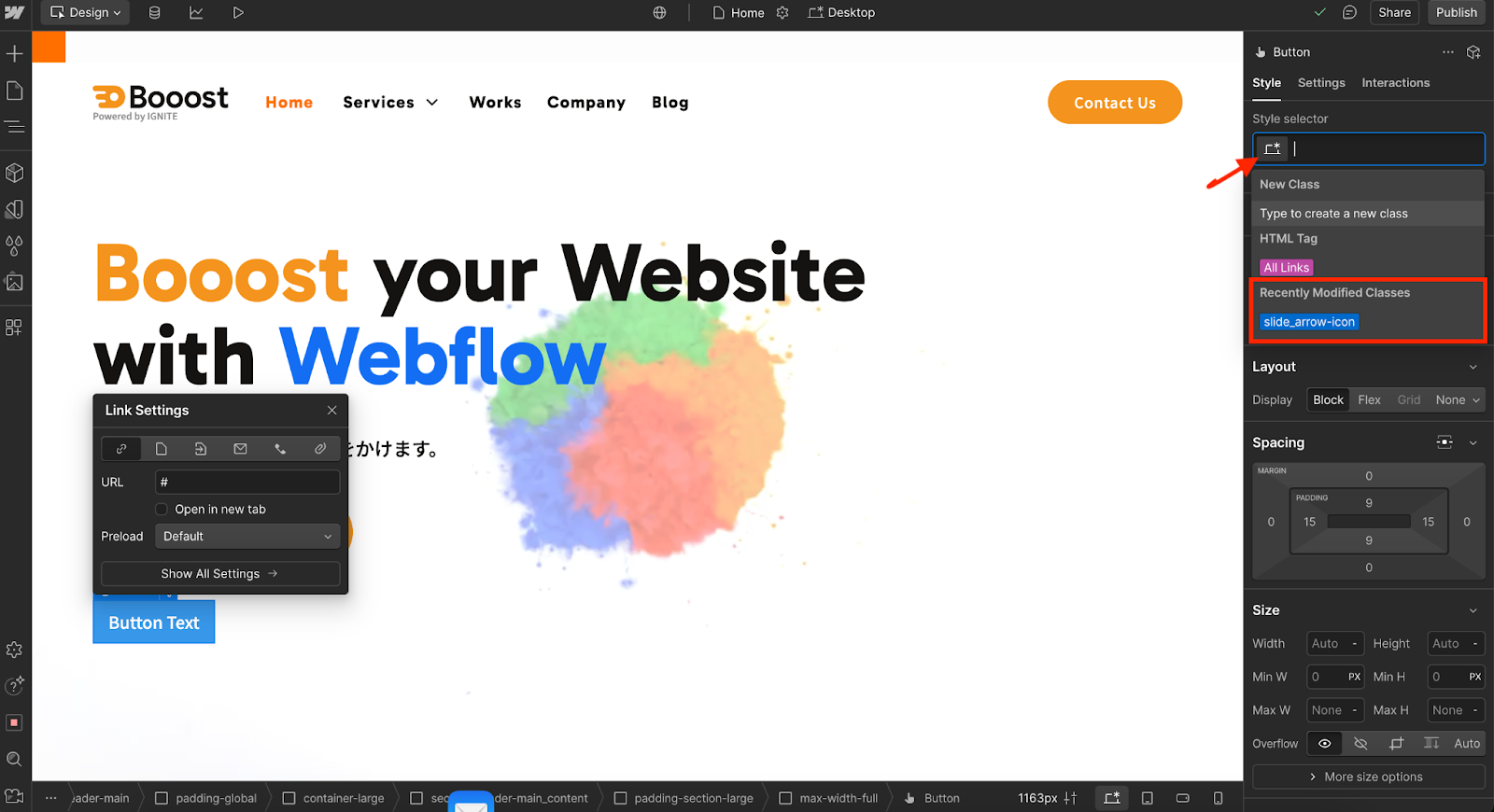
"Recently Modified Classes" is a convenient feature that automatically displays classes you've recently created or edited in the style selector.
When you select an element and click the class input field in the right-hand style panel, the "Recently modified classes" section appears, allowing you to quickly access the desired class.
This significantly reduces the effort of manually typing class names or searching through long lists.
Practical Usage of the New Feature
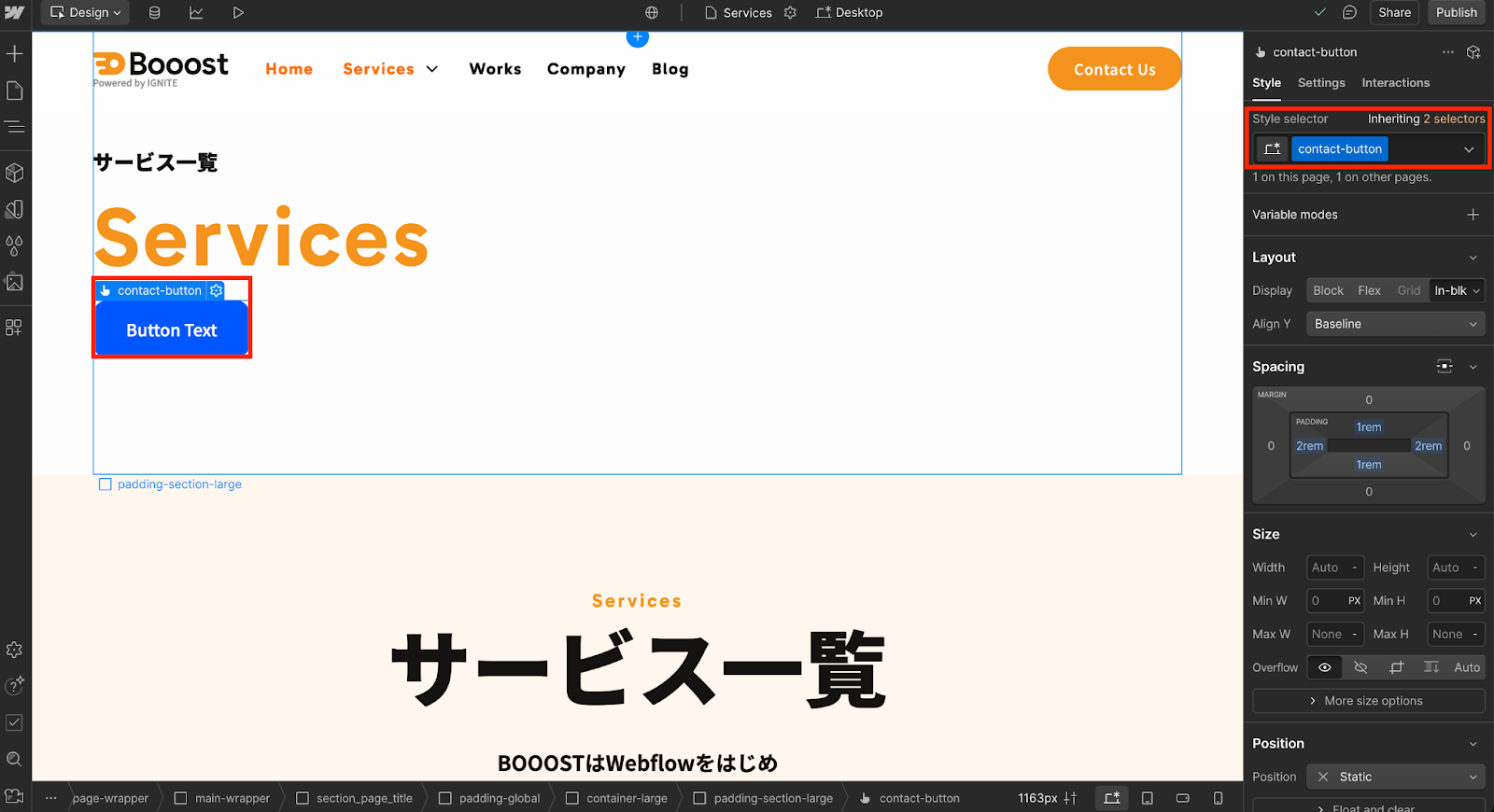
The operation is very simple. Here, we'll explain how to use it in two steps, using a "Contact Us button" as an example.
Step 1: Create the base style.
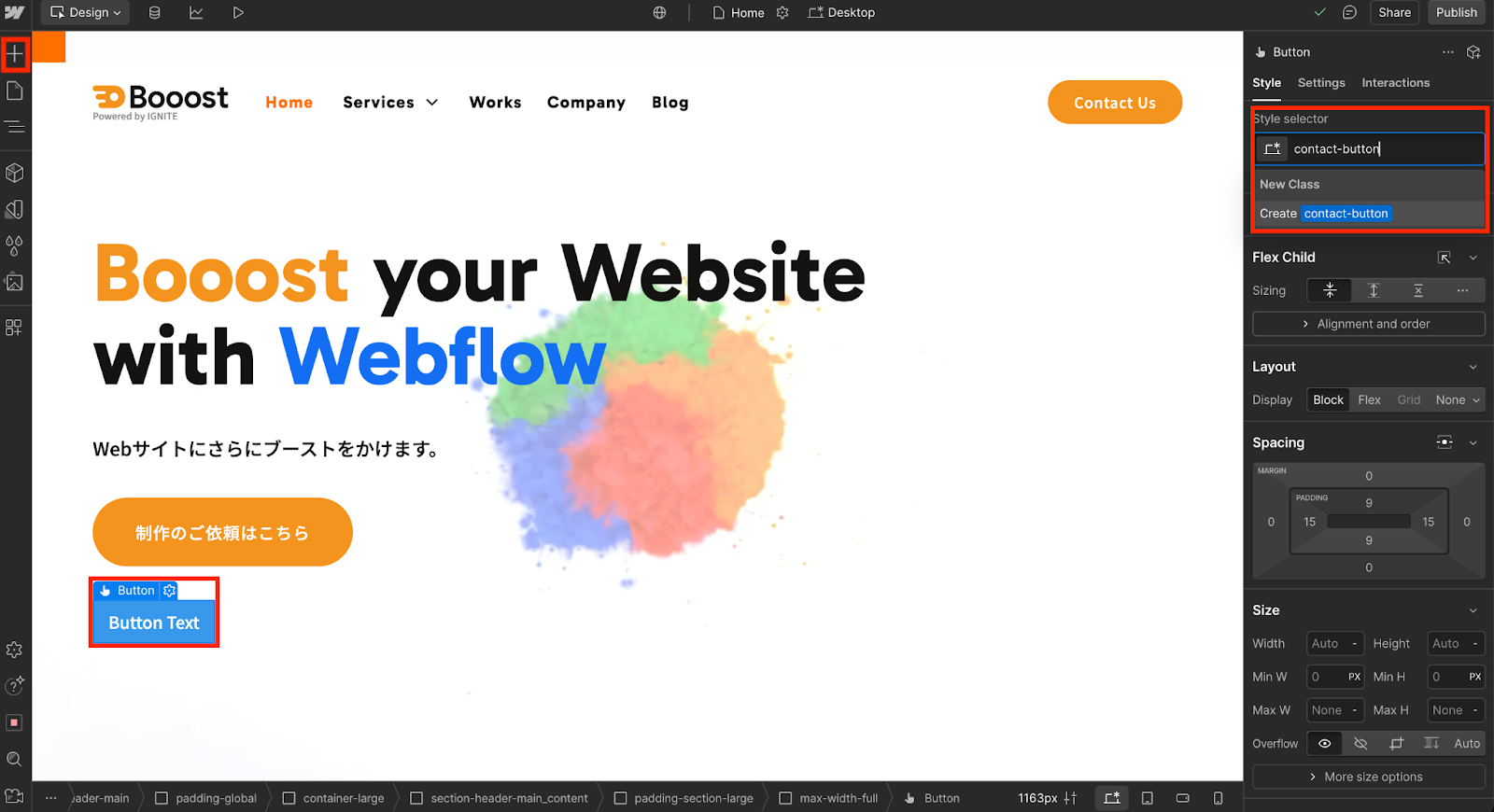
- Add a Button element from the "+" icon in the top-left of the Webflow Designer.
- Select the added button and create a new class named "contact-button" in the style panel.
- Style the background color, margins, border-radius, text color, and other properties as you like.
This completes the base for a reusable button.
Step 2: Apply the same class in other locations.
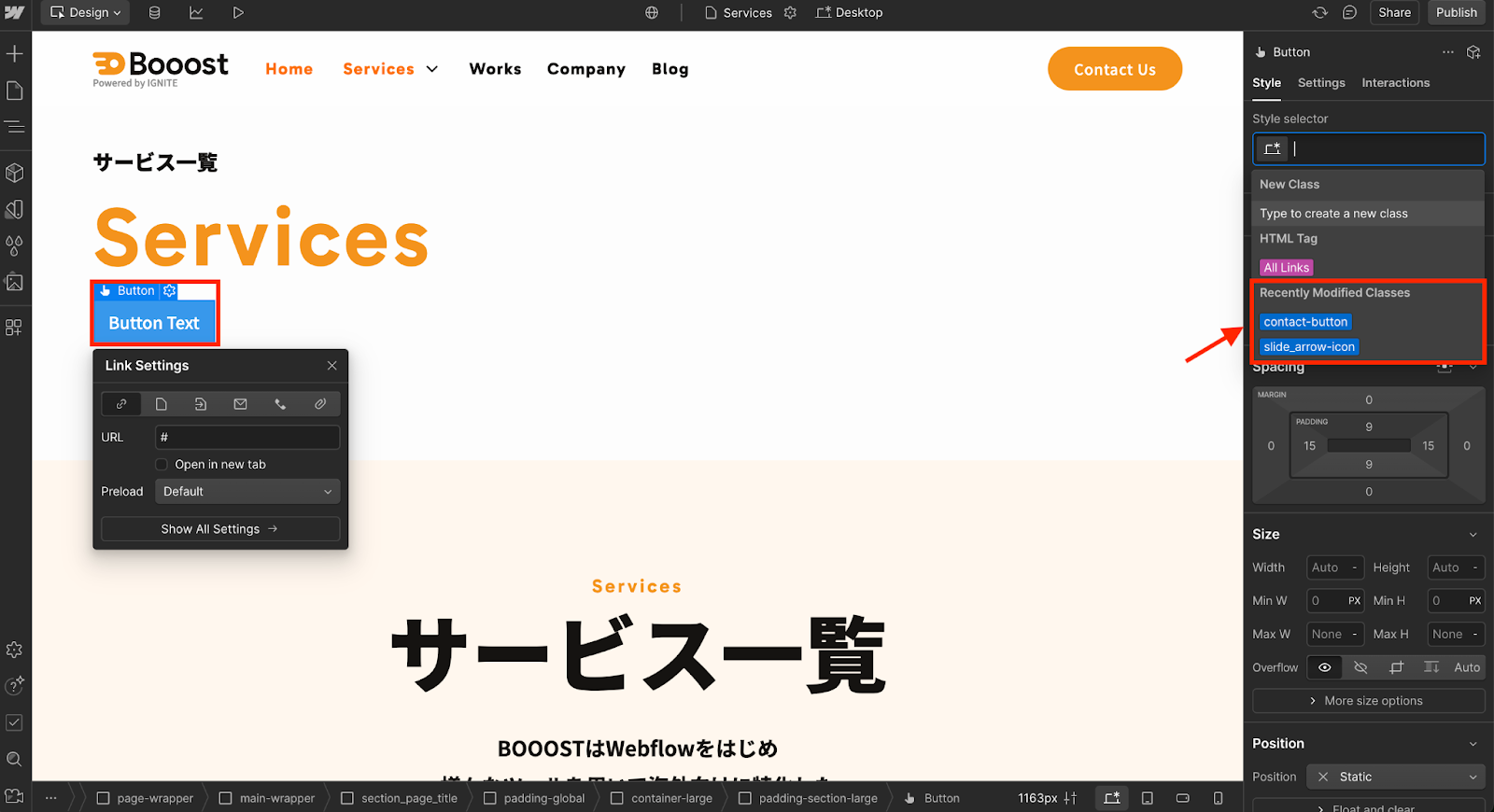
- Add a Button element to another section or page.
- Select the element and click the class input field.
- Select "contact-button" from the "Recently modified classes" section.
- The style set in Step 1 will be applied immediately.
You'll no longer need to manually type class names repeatedly, making your work significantly more efficient.
[Advanced Example] Smooth text styling and margin adjustments.
This feature is effective not only for large elements like buttons but also for fine-grained styling such as text and margin adjustments.
For example, text classes like "lead-text" or "caption-text" with specific font sizes and line heights can be quickly reused from the list.
Additionally, utility classes like "mb-lg (Margin Bottom - Large)" are also displayed prominently, allowing for intuitive spacing adjustments between elements.
Three major benefits of the new feature.
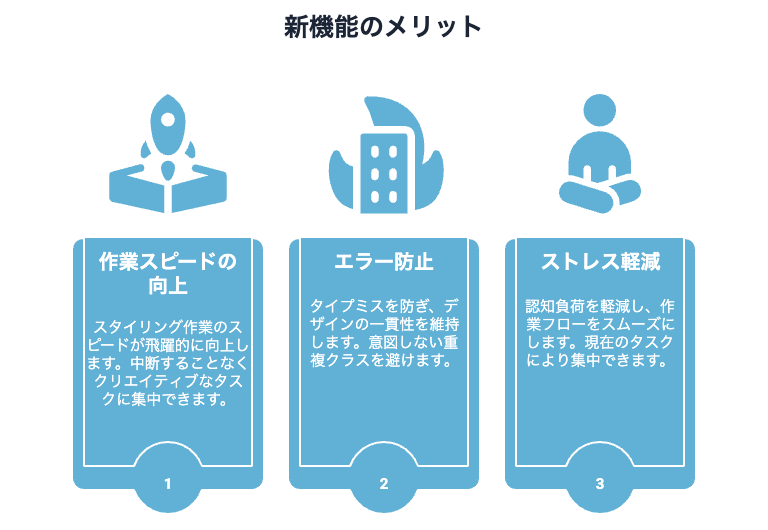
The main benefits of "Recently Modified Classes" are the following three:
Significantly improved work speed.
Because frequently used classes can be recalled instantly, styling tasks become remarkably faster.
You can focus on design and structural planning without interrupting your thought process, improving overall production efficiency.
Preventing human error and maintaining design consistency.
It prevents class duplication due to input errors and the scattering of incomplete styles.
As a result, you can maintain high design consistency across the entire site.
Stress-free production.
It eliminates the hassle of searching for "Where was that class again...?" and the stress of double-checking "Is the name correct?", leading to a more comfortable production experience.
Summary: Small improvements can significantly change daily production.
"Recently Modified Classes" might seem like a small improvement at first glance. However, by reducing the burden of the frequent task of applying classes, it significantly enhances production speed, accuracy, and comfort.
This is a feature we highly recommend for anyone who wants to focus on their Webflow work and have more time to bring creative ideas to life.
If you haven't used it yet, be sure to give it a try starting today.
In addition to this, Booost offers a lot of useful information about Webflow. If you have any questions, please feel free to contact us.
Booost is a web development service specializing in the no-code tool "Webflow."
We maximize your website's customer acquisition power through three optimizations: design, marketing, and translation.

