
The End of WordPress's Dominance? Why Webflow is Becoming the "Next Standard"

For over a decade, the prevailing approach for corporate websites and owned media has been "just use WordPress." Indeed, WordPress has long held an overwhelming share of the global CMS market.
However, recent trends indicate that the situation is changing.An article from SEO TIMESAs pointed out, "SaaS-based, no-code" tools are gradually gaining market share in place of WordPress. Services like Webflow, which combine "no-code + integrated hosting," appear to be rapidly increasing in adoption, driven by a shortage of engineers, rising security burdens, and the growing demand for speed from marketing organizations.
In this article, we will compare WordPress and Webflow, discussing:
- Why more companies are choosing Webflow now
- In what scenarios Webflow is likely to be the "right" choice
We will explain these points.
*If you want to understand the article's content in 30 seconds, please refer to this image.
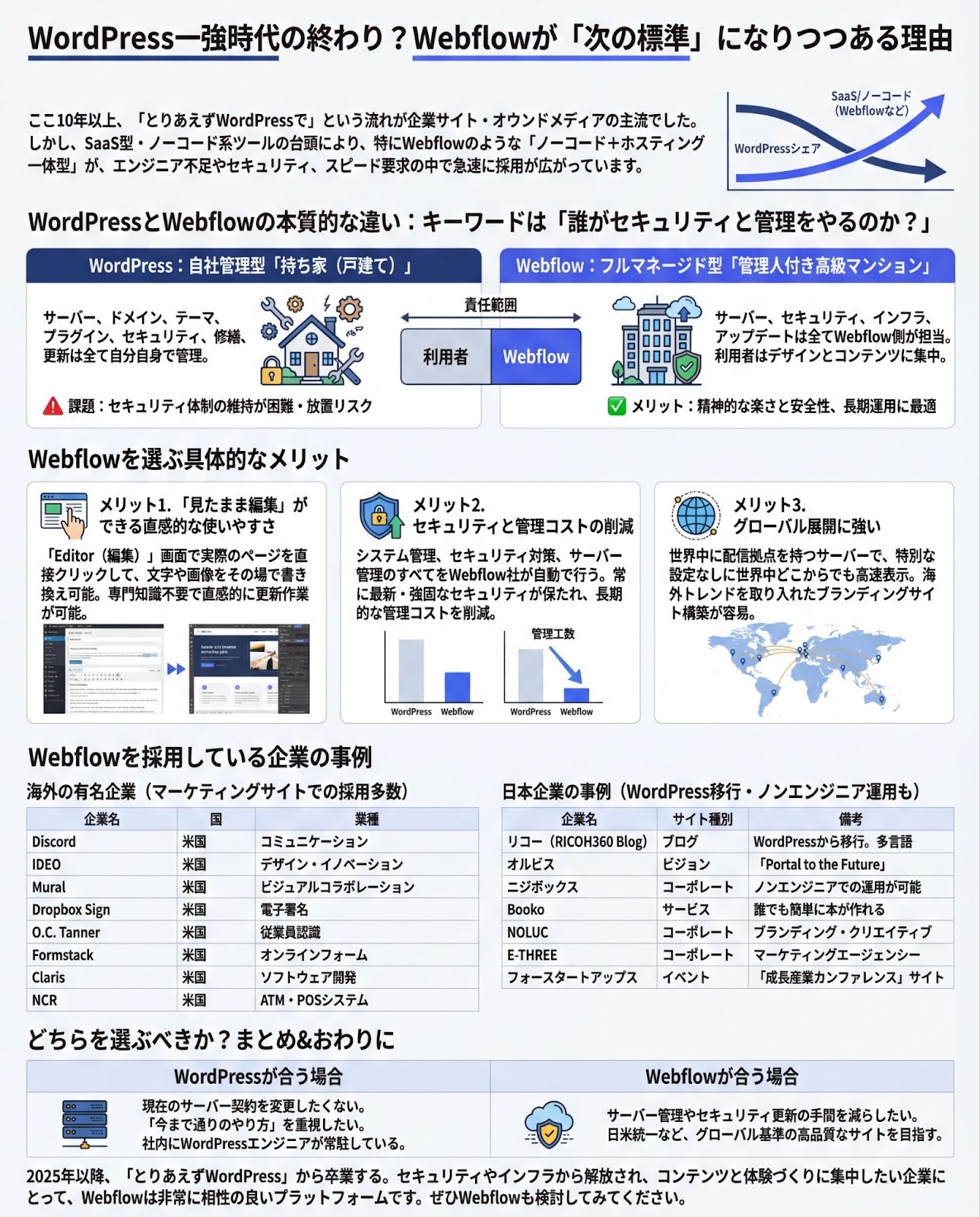
The Fundamental Differences Between WordPress and Webflow
The key question is: "Who handles security and maintenance?"
Although both are "website creation tools," WordPress and Webflow are fundamentally different.
- WordPress: "Self-managed" type, where you install the software (CMS) on your own server.
- Webflow: "Fully managed" type, integrating design tools, CMS, and hosting.
To make this easier to visualize, here's an analogy:
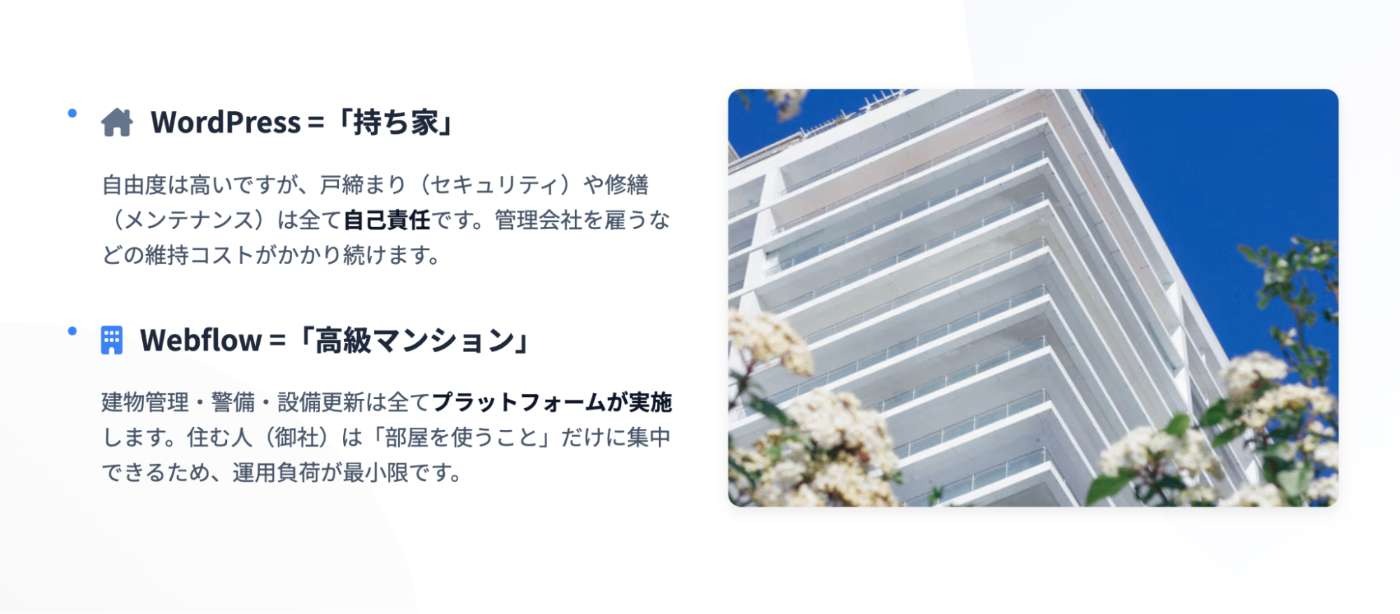
- WordPress is like a "privately owned house (detached home)."
- Webflow is like a "luxury apartment building with a concierge."
WordPress: The "privately owned house (detached home)" model
Here are the characteristics of WordPress when likened to a privately owned house:
Servers, domains, WordPress core, themes, plugins, etc.Free customization from the house's foundation to its interior.While this is possible, you are responsible for everything listed below:
- Repairs (updating PHP, WordPress core, and plugins)
- Securing the premises (security patches, WAF, backups)
- Equipment upgrades (PHP version updates, fixing incompatible themes), etc.
While some argue there's no difference in security, that argument is only valid if "constant updates and monitoring" are maintained.
It's not uncommon for security measures to fall behind and be neglected.
Webflow: The "luxury apartment with a concierge" model
Here are the characteristics of Webflow when likened to an apartment building:
Servers, CDN, SSL, security patches, and infrastructure operations are allhandled by Webflow.This allows users to focus on the following:
- The interior of the room (design, content, copy)
- How to live (information architecture, A/B testing)
The peace of mind and security that comes from not having to worry about "forgetting to lock the door" or "the roof leaking" is a significant advantage when considering long-term operation.
Specific Benefits of Choosing Webflow
Here are three main benefits of choosing Webflow.
Benefit 1: Intuitive ease of use with "what you see is what you get" editing.
With WordPress, you need to switch between the "admin screen" and the "actual page," but Webflow offers an "Editor feature." The "Editor" screen is very simple, allowing you to directly click on the actual website page and instantly change text and images.
Even staff members without specialized knowledge can "intuitively" perform daily update tasks.
Benefit 2: Reduced security and management costs
WordPress heavily relies on "plugins" for extended functionality, and the associated update tasks and troubleshooting (the so-called "plugin hell") place a significant burden on operations staff.
In contrast, Webflow handles all system management, security measures, and server management
automatically.
Since the latest and strongest security is automatically maintained, a major benefit is the reduction in long-term management costs.
Benefit 3: Strong for global expansion
If you are considering "unifying your Japanese and US homepages" in the future, Webflow is a convenient choice.
Because its servers have distribution points worldwide, pages load quickly regardless of where they are accessed from, without requiring special configurations.
Furthermore, its high design flexibility makes it easy to build branding sites that incorporate international trends.
Famous International Companies Using Webflow
Here are examples of companies that have built marketing and brand sites with Webflow. We verified that these sites were built with Webflow by checking the HTML source code of each company's main website.
The key point is that it's very common for companies to use Webflow to rapidly run their marketing sites, even if their core service is built with different technology.
Reference: Webflow Official Customer Page
Examples of Japanese Companies Using Webflow
Webflow adoption is also expanding among Japanese companies.
Notably, many companies have migrated from WordPress to Webflow or have achieved non-engineer operation with it.
Which one should you choose? Summary
We've summarized typical scenarios to help companies already using WordPress, or those looking to build a new website, determine which option is best.
Conclusion: Moving beyond "just WordPress" from 2025 onwards
WordPress remains a powerful CMS, offering high performance and extensibility when properly managed. However, the overall market trend shows WordPress's share declining, while no-code/SaaS tools are gaining traction.
For companies that want to "minimize concerns about security and infrastructure and focus on content and experience creation," Webflow is a highly compatible platform.
If you have needs such as "wanting to be free from server and plugin maintenance," "wanting to create an environment where staff can update pages themselves," or "wanting to build a brand site with an eye on international markets," we encourage you to consider Webflow.
Booost is a web development service specializing in the no-code tool "Webflow."
We maximize your website's customer acquisition power through three optimizations: design, marketing, and translation.

