
“Vibe Coding” realized with Relume — a new flow of web production accelerated by AI

In recent years, the roles of designers and developers have become more close in the web production field, and efficient collaboration methods are required. Meanwhile, “Vibe Coding” using Relume is attracting attention as a new web production flow that uses AI tools from a blank canvas to create everything from structure to design in a short time.
What is Vibe Coding?
Vibe Coding is more than just a coding method. After clarifying the purpose and concept of the site, it is a process of efficiently creating everything from site structure (wireframe) to design using AI tools.
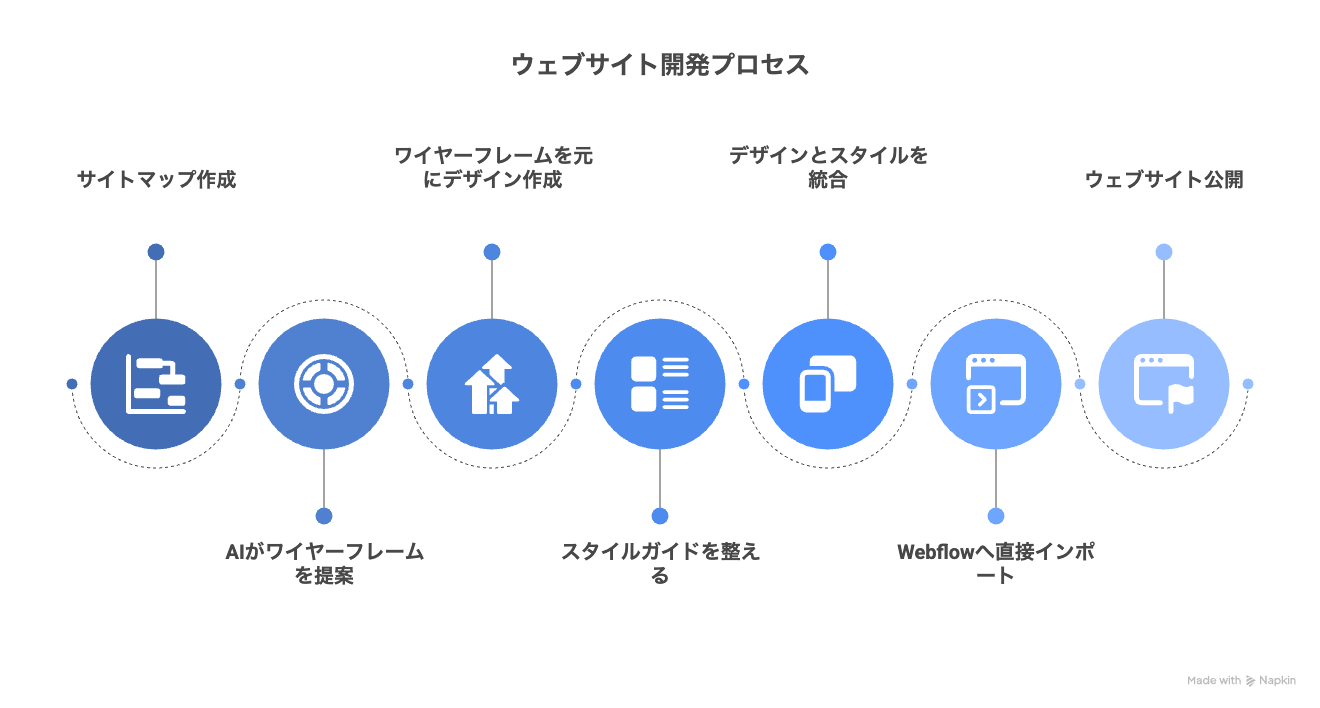
The key points are as follows.
- not a blank canvasStart production from the sitemap
- AI tools suggest optimal wireframes and designs
- After preparing the style guide, it can be imported directly into Webflow
Designers can focus on strategy and concept creation, dramatically improving the speed and accuracy of web production.
Vibe Coding production flow
Below are details of the Vibe Coding production flow.
Flow 1. Create Prompts (Briefs)
Let's start with creating a websiteClarify your purposeI will do it.
- The main goals of the site
- Content or message you want to highlight
- Intended Audience
- Visual style and tone
AI makes text and design suggestions based on this information. Determining the direction of the site firmly here will lead to improved production efficiency.
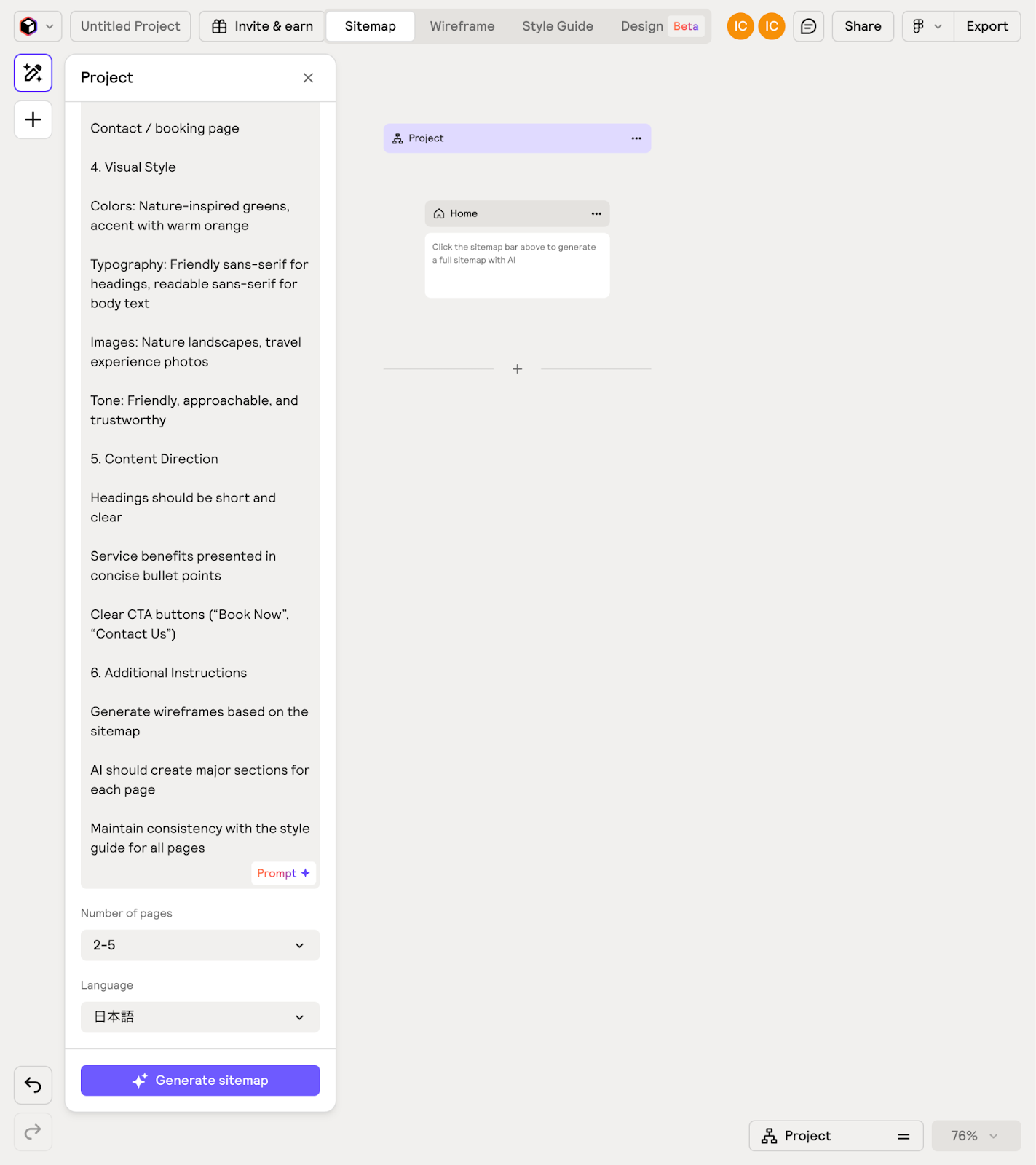
Once the direction of the site is determined, enter a prompt into Relume.
Flow 2. Create and import sitemaps with Relume
In Relume, AIAutomatically generate a sitemapIt will do it.
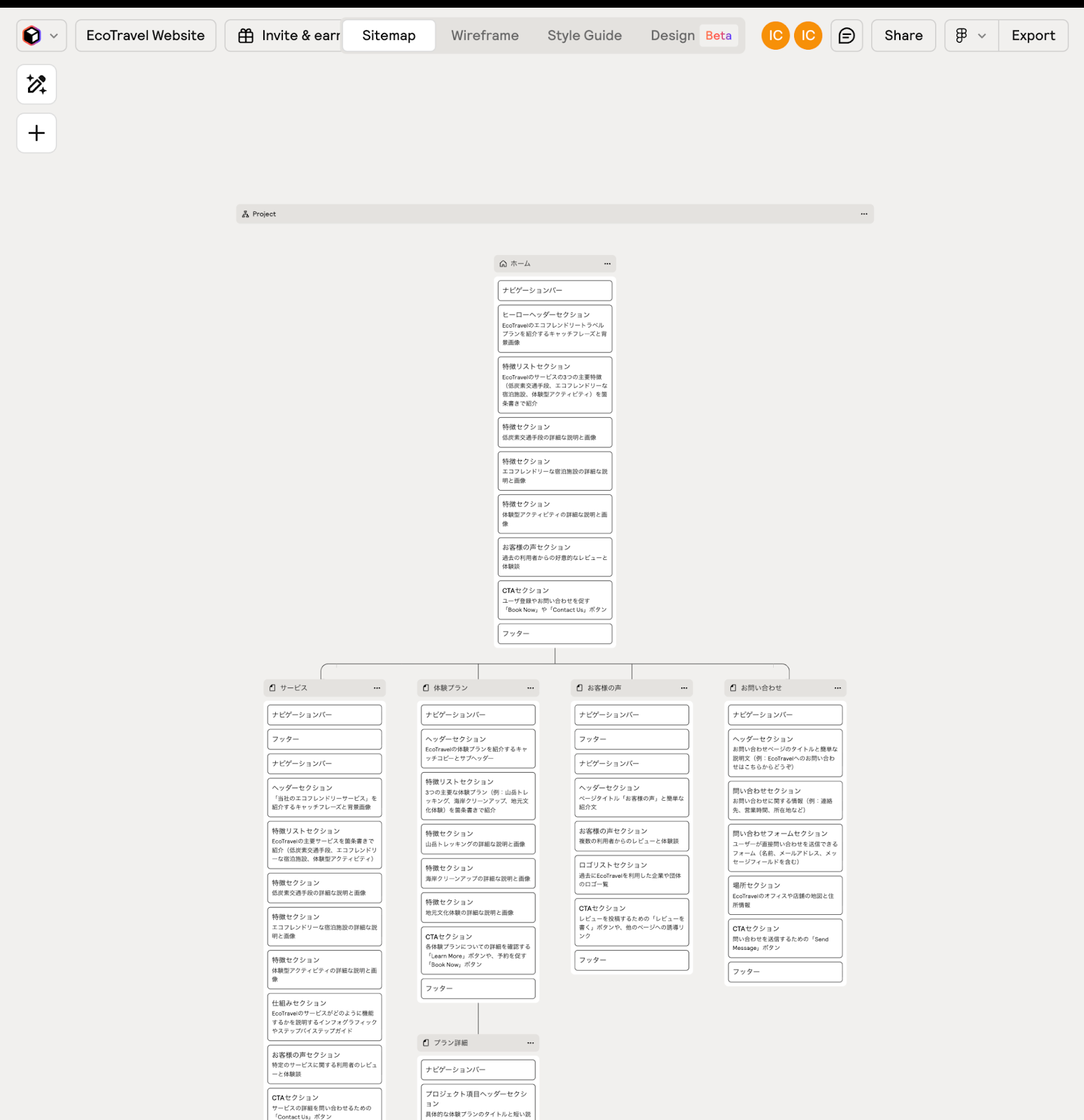
The features of creating a sitemap are as follows.
- Pages can be freely added, deleted, and renamed
- The section structure can also be easily customized
- The skeleton of the site can be grasped at a glance
By preparing a sitemap, subsequent wireframing and design work will be smoother.
Flow 3. Wireframe creation
Next is creating a wireframe.
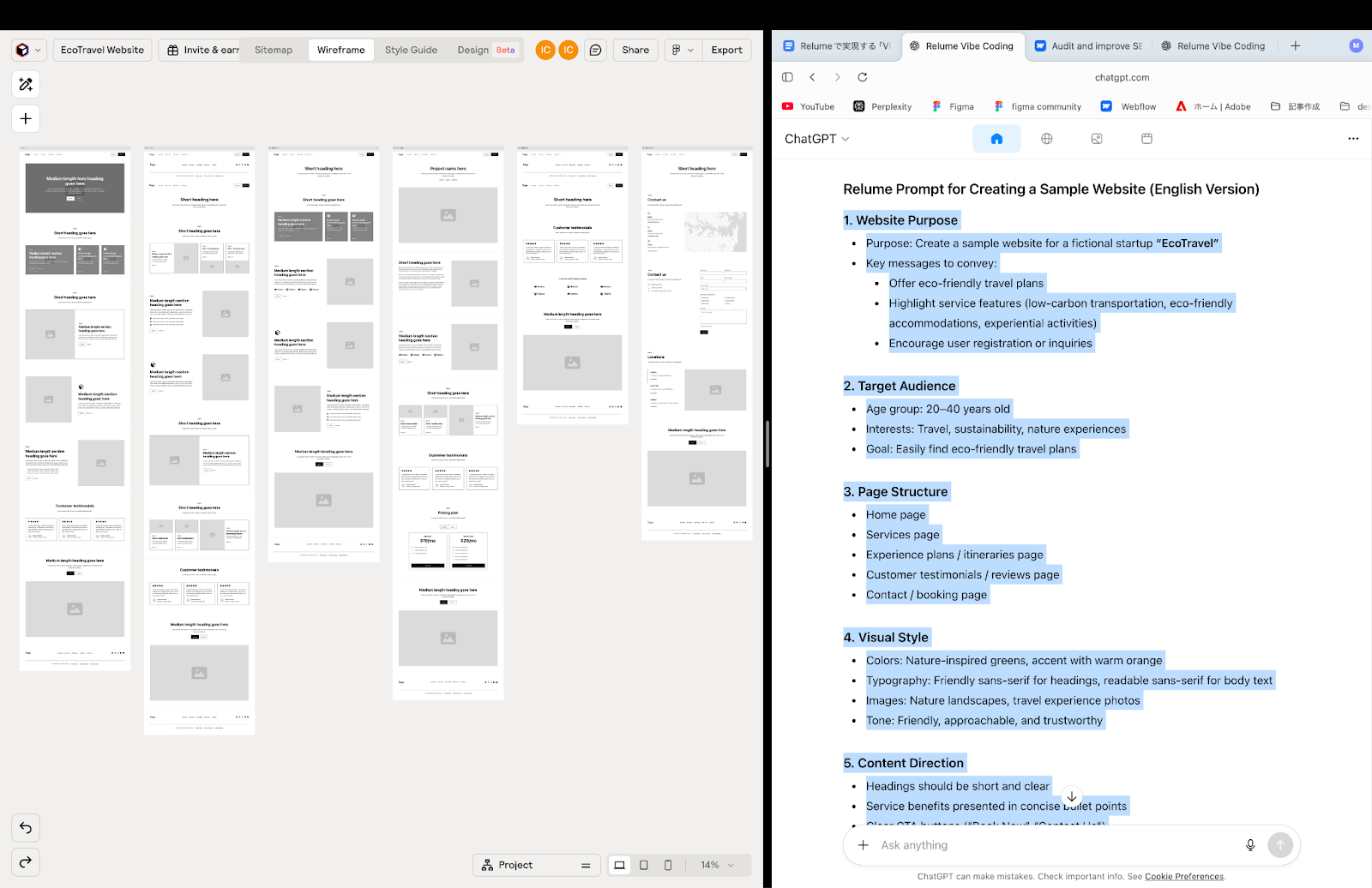
Based on the site map, from the tab at the top of the screenWireframe with just one clickIt can be generated.
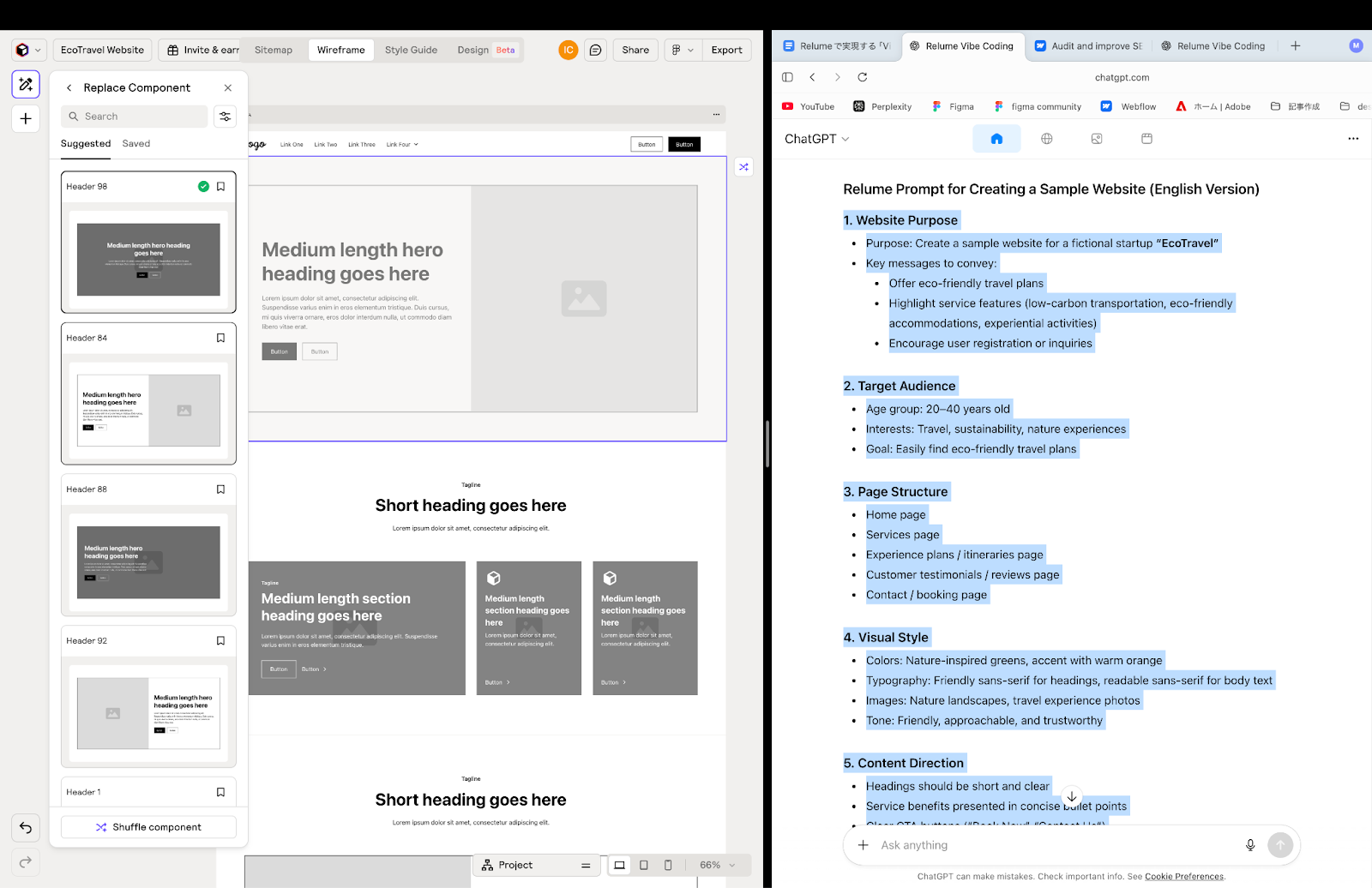
The characteristics of creating wireframes are as follows.
- AI suggests optimal wireframes
- The text and structure of each page can be modified
- Search and select Relume's built-in components and arrange them freely
At this stage, we will prepare the structure of the website and the flow of the user experience.
Flow 4. Create a style guide
Before designPrepare a style guideThis allows all pages to have a sense of unity.
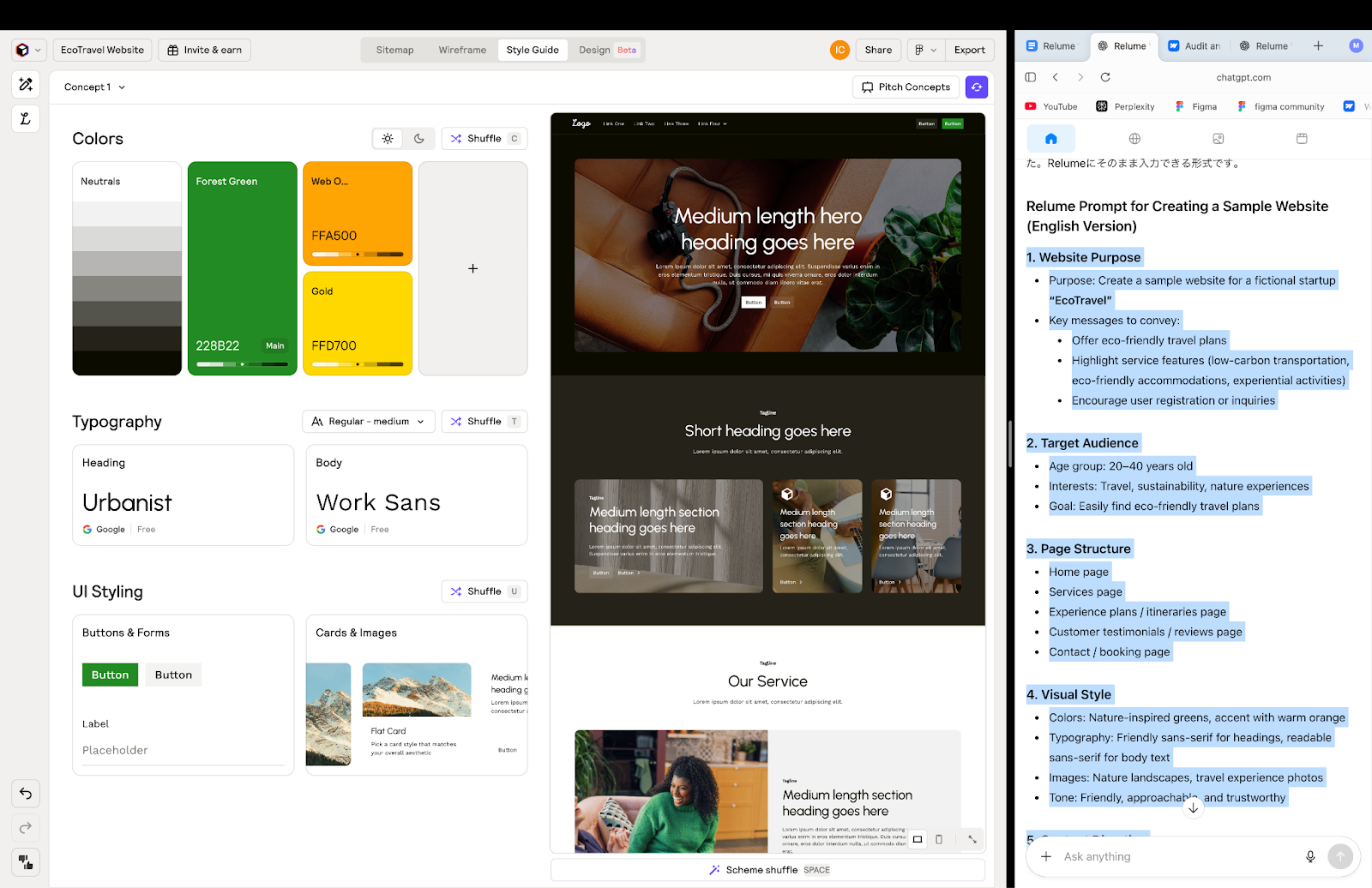
The features of creating style guides are as follows.
- Determining color types and color palettes
- UI style and typography settings
- Select images and visual assets
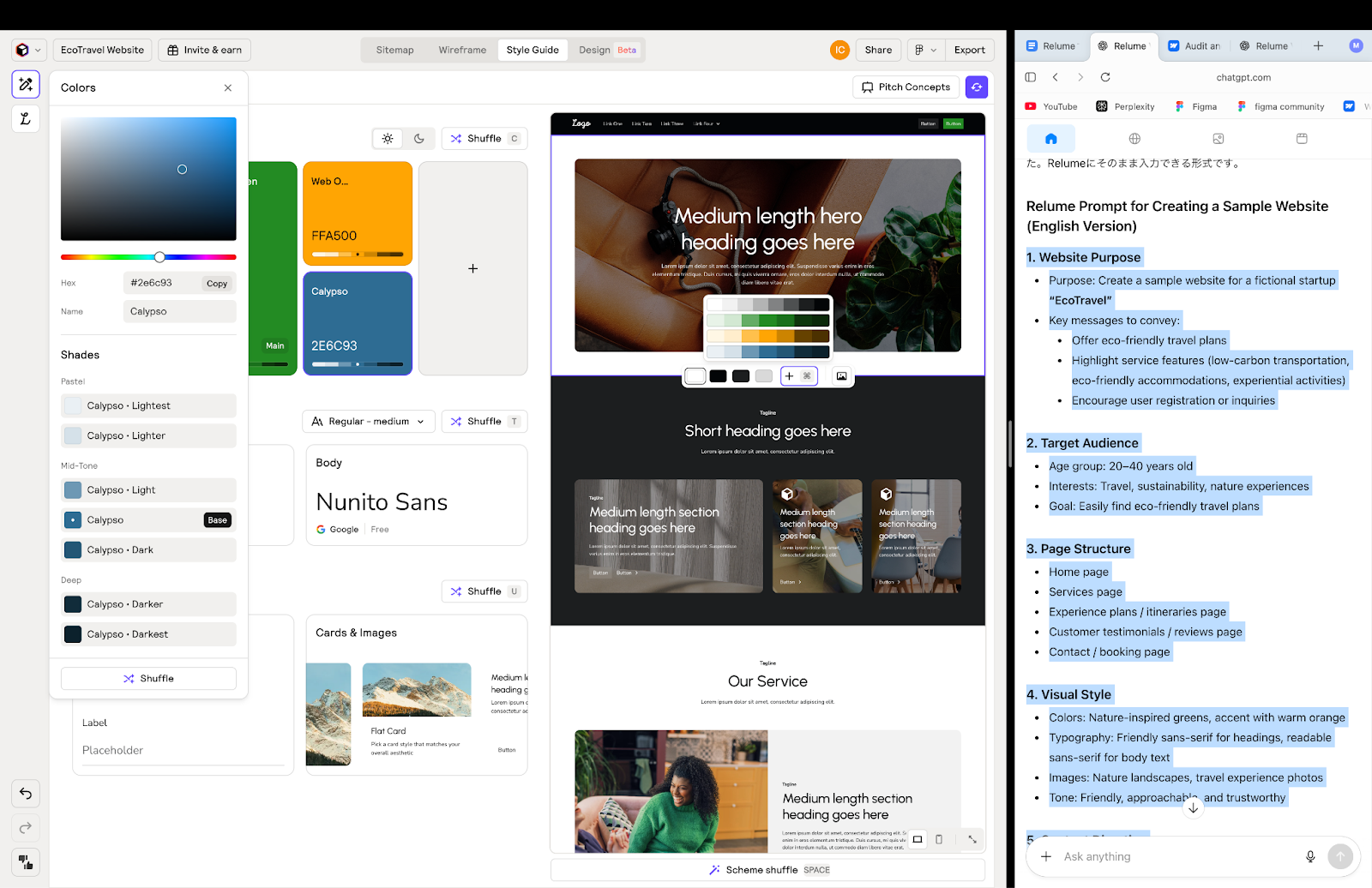
Since multiple concepts can be compared and selected, it is flexible when changing colors and styles later.
Flow 5. designs
We will move on to design work based on the style guide.

The characteristics of design creation are as follows.
- Color and style can be adjusted for each section
- If you update the style guide, it will be reflected on all pages
- Since the components are linked, editing is possible while maintaining a sense of unity
By using Relume, you can focus on design work while always being aware of strategies and concepts.
Flow 6. Importing to Webflow
This is the process of importing designs created with Relume into Webflow.
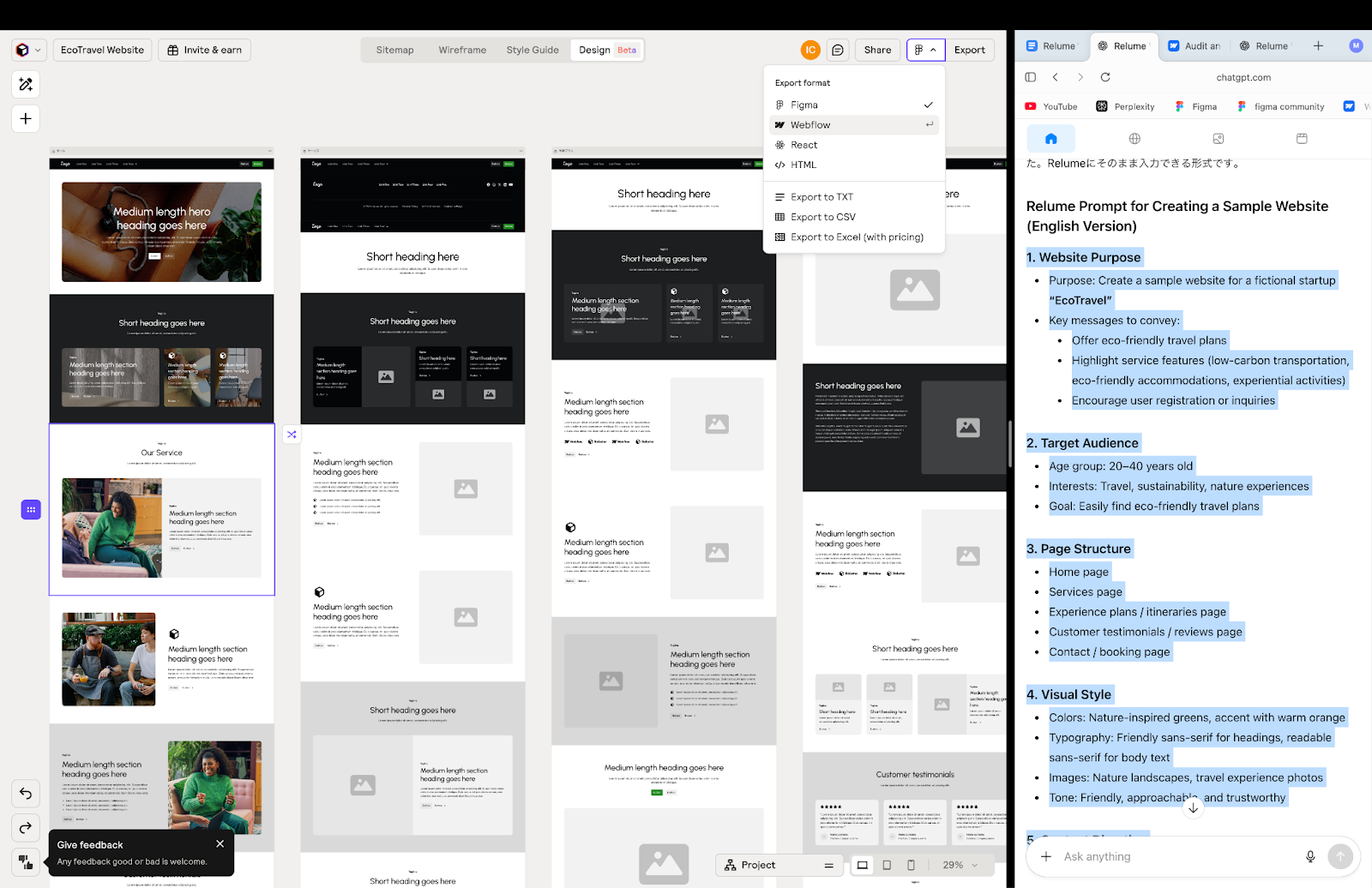
Set the output format to Webflow from the top right button.
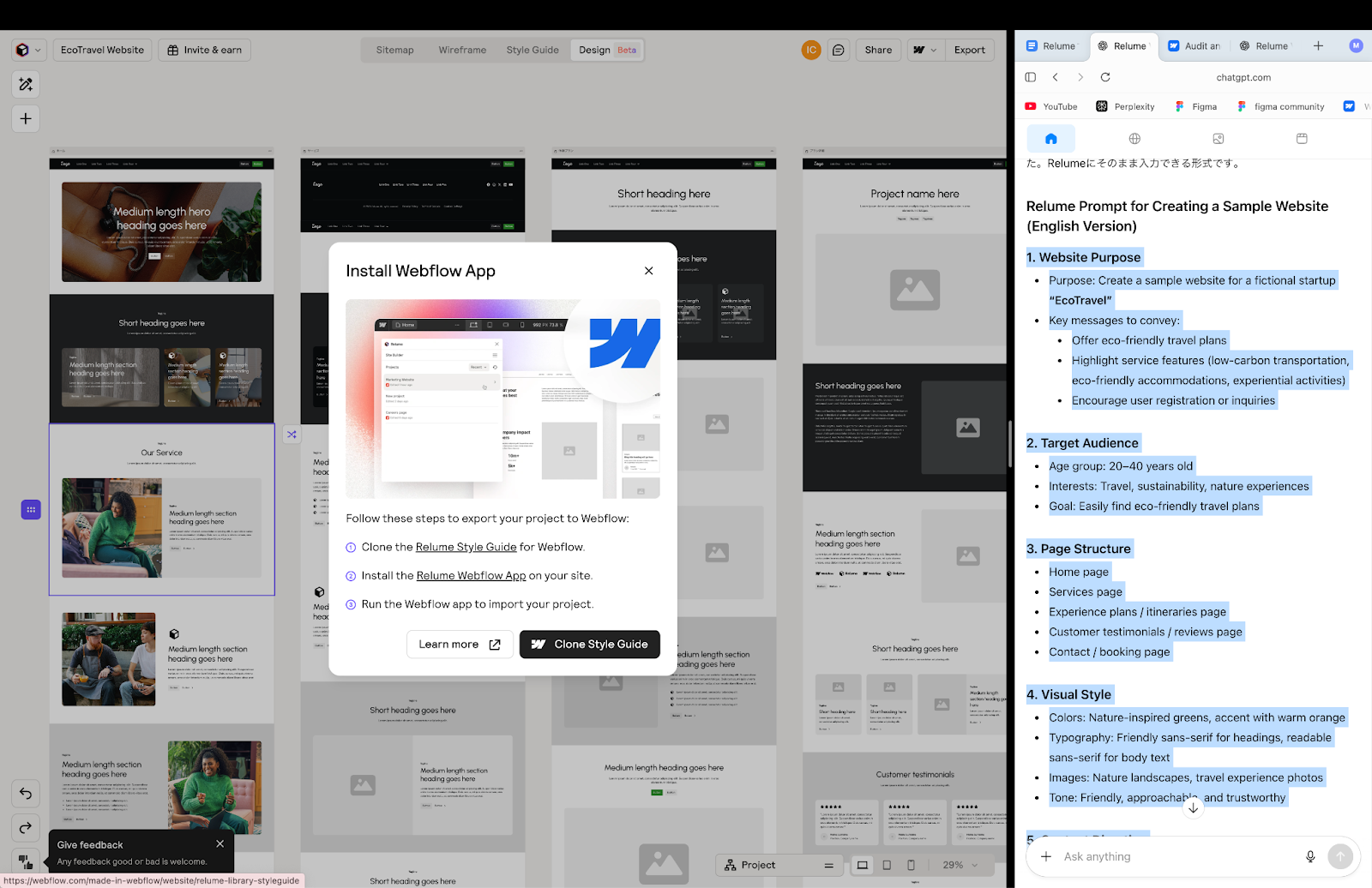
Relume Webflow AppUse to migrate to Webflow.
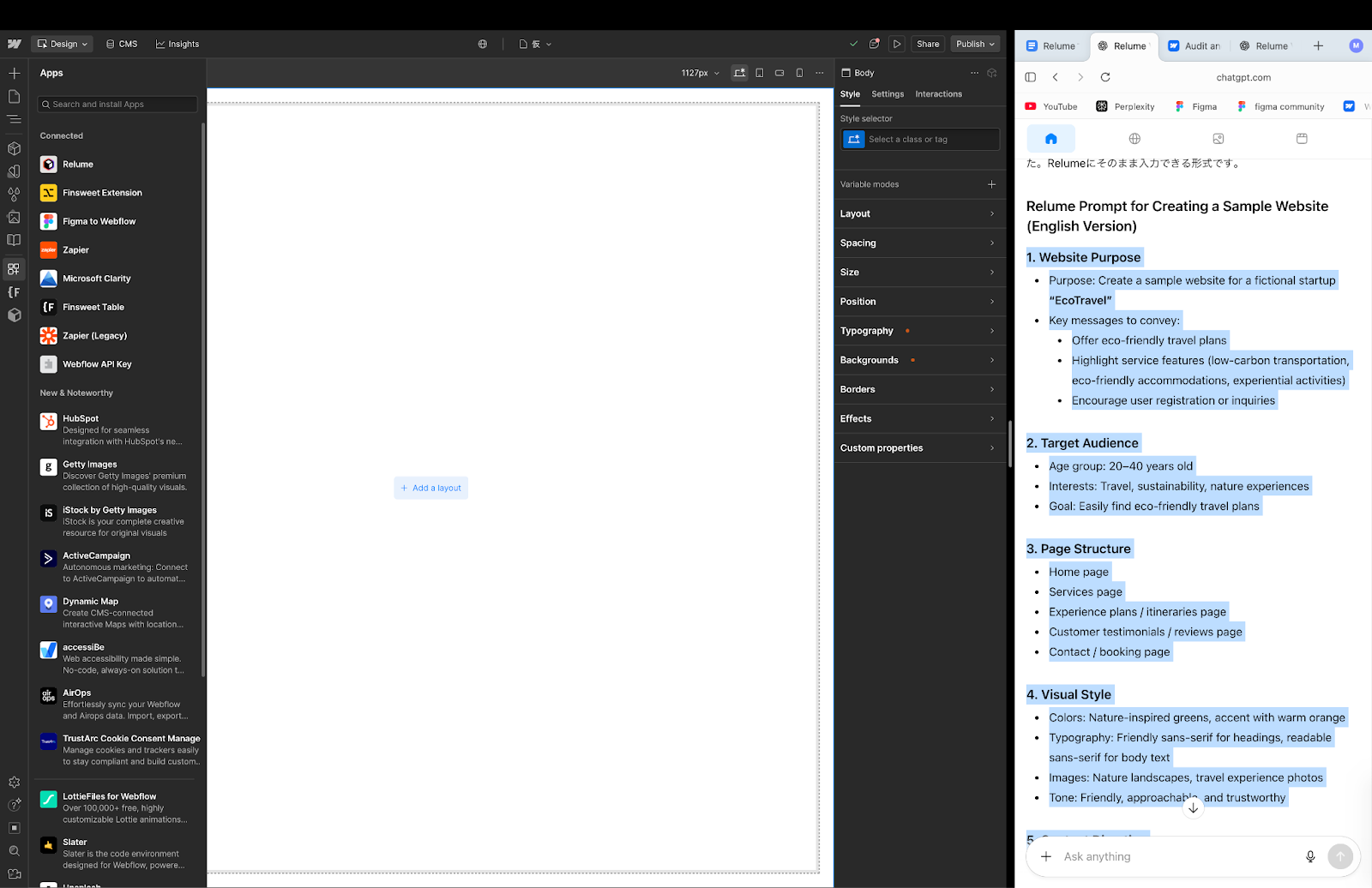
Display Webflow and go to Apps on the left sidebar,Relumeselect.
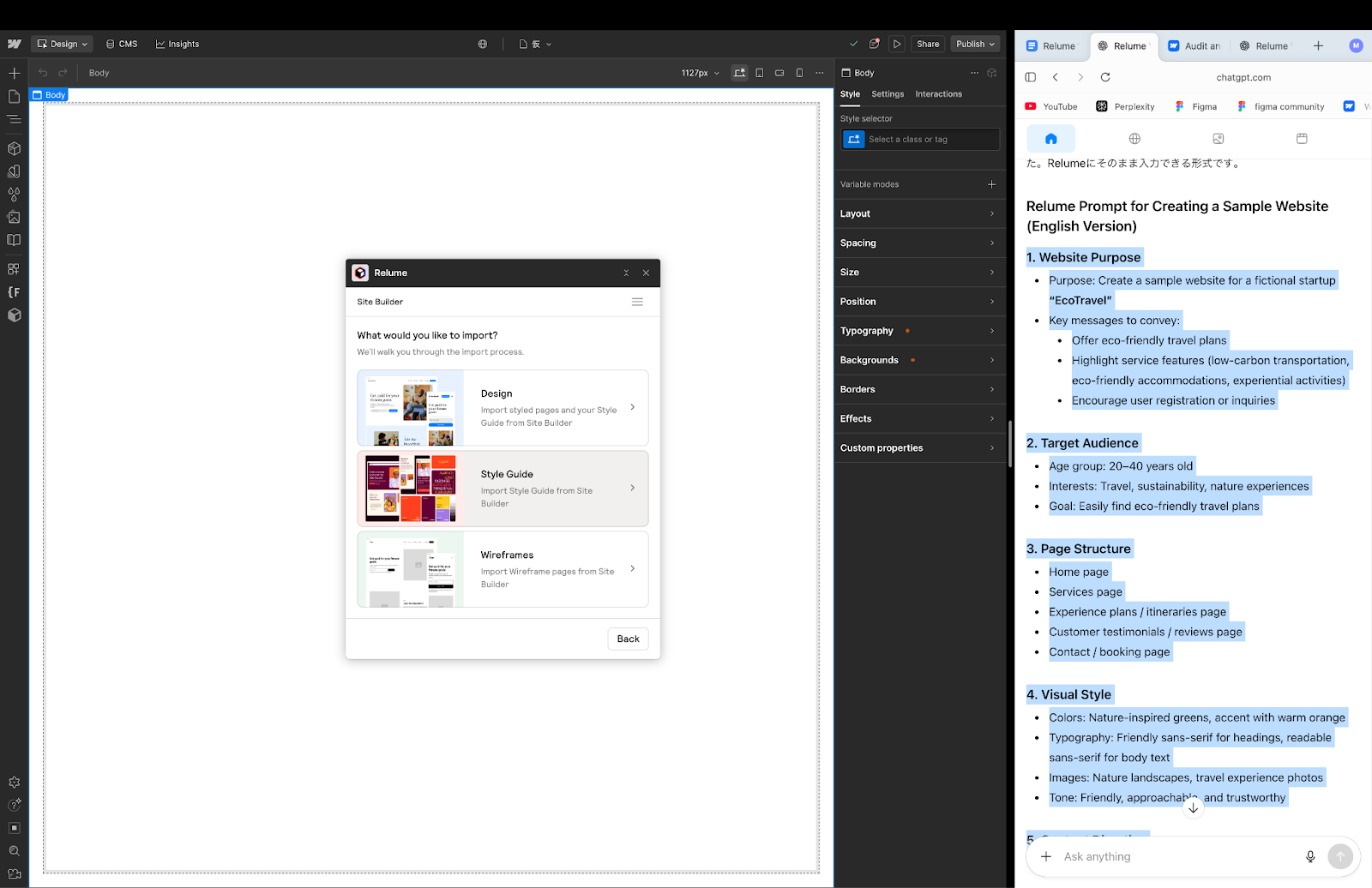
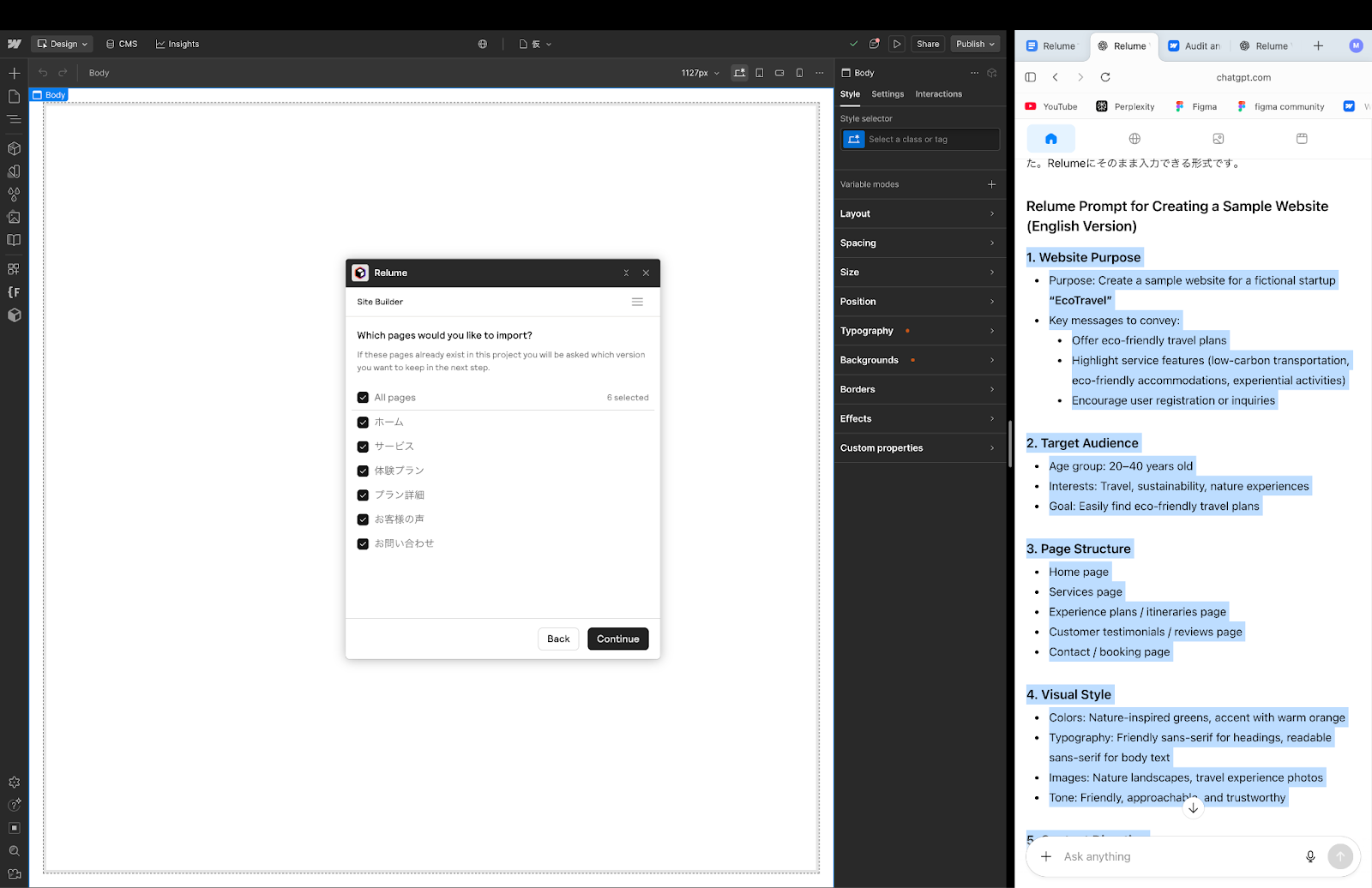
When I start Webflow's Relume App,”What sites do you want to import?Along with the question”, a list of sites that can be imported was displayed. Then, set the site nameScope of importYou will be taken to a screen where you can select (all pages or page by page).Site unitsBulk import with, of course, from the site I'm working onspecific pages onlyIt is also possible to migrate by selecting.
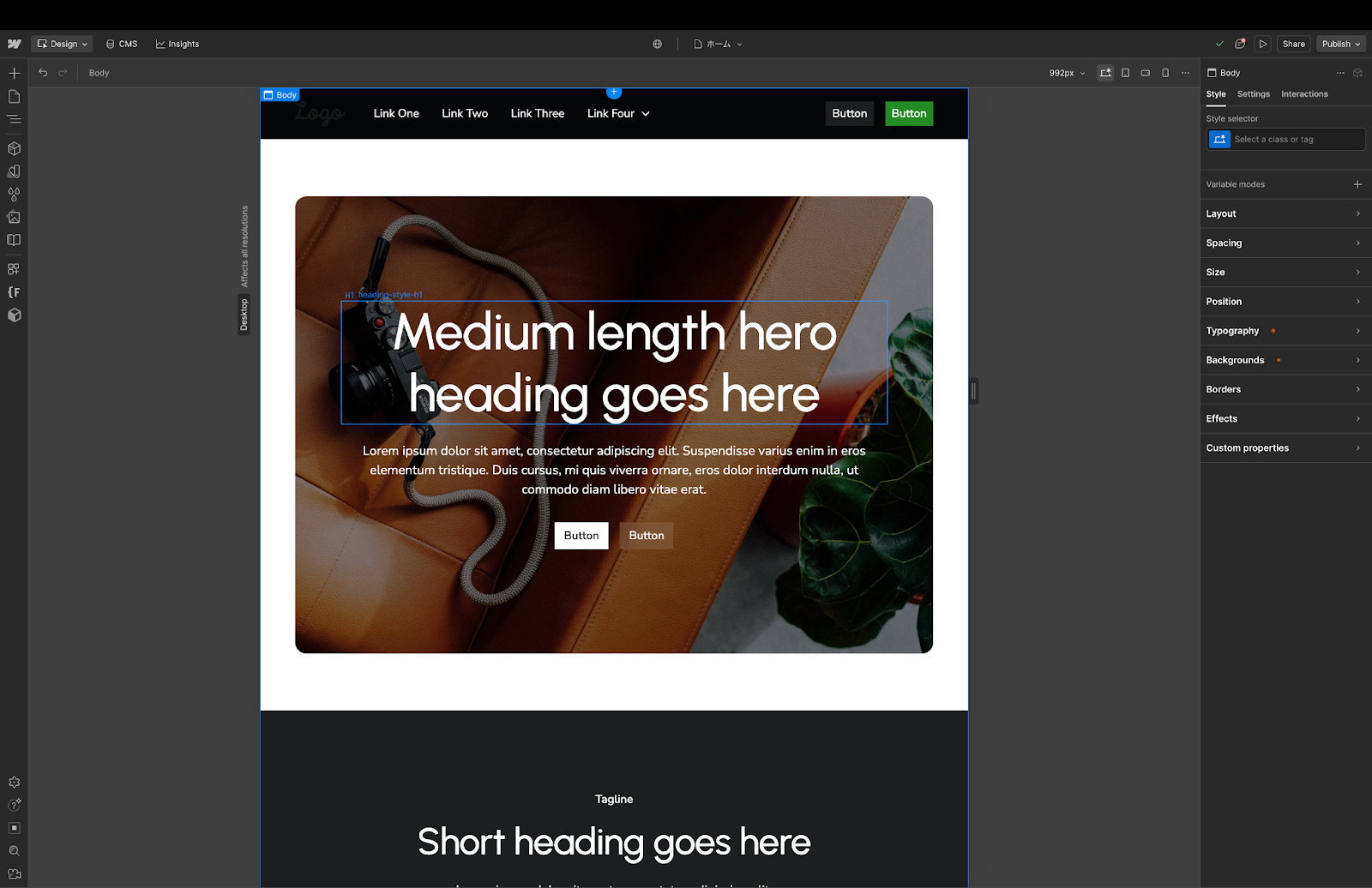
The characteristics of Webflow transfers are as follows.
- Site names can be set and import targets can be selected
- You can import page by page or import all pages at once
- Complete your website with the Publish button
- Can also be modified on Webflow if necessary
This allows the production flow to be completed without interruption until publication on the web.
summary
Vibe Coding using Relume takes the complicated process of conventional web productionImprove efficiency with AI and automationIt's a method to do it.
- Integrated management from sitemaps to wireframes, style guides, and designs
- You can focus on concepts and strategies
- Can be smoothly imported into Webflow and published
As a result, team production efficiency is dramatically improved, and more creative web production can be realized. By all means, let's experience web production on the Relume dashboard!
Booost is a web development service specializing in the no-code tool "Webflow."
We maximize your website's customer acquisition power through three optimizations: design, marketing, and translation.

